55+ Out of Office Message Examples (2026)
Professional out of office message examples with security-safe wording. Get copy-ready templates for all platforms plus Gmail and Outlook setup steps.

Audio and video are AI narrations of this article.
55+ Out of Office Message Examples (2026)
Narrated version · 8 min
Key takeaways
- The five things every out-of-office message needs are an acknowledgment, your unavailable dates, when you'll respond, who to contact urgently, and your sign-off — skip any one and people either over-email you or under-escalate real problems.
- Your internal and external auto-replies should say different things: internal messages can name projects and colleagues by name; external messages should never include your travel dates, destination, or a named colleague's direct line without that colleague's OK.
- If you're actively job hunting while out of office, say so briefly and give a fast way to reach you about interviews specifically — a generic “I'll respond when I'm back” auto-reply can cost you a same-week interview slot.
- Test your auto-reply before you leave: send yourself an email and confirm it actually fires, in both Gmail/Outlook and Slack/Teams if you use both.
Out of office messages fall into five parts: an acknowledgment, your return date, your response timeline, an urgent-contact path, and your sign-off. Use “Thanks for your email. I'm out of the office until [date] and will respond when I return. For anything urgent, contact [name] at [email]” as your default, then adjust by scenario below.
If you're searching for out of office message examples, you're probably in one of these situations:
You need something professional you can copy and paste immediately. Or you're trying to set proper expectations so you don't return to angry customers, missed interview opportunities, or complete internal chaos. Maybe you just want to avoid accidentally oversharing (because OOO replies can leak more information than you realize).
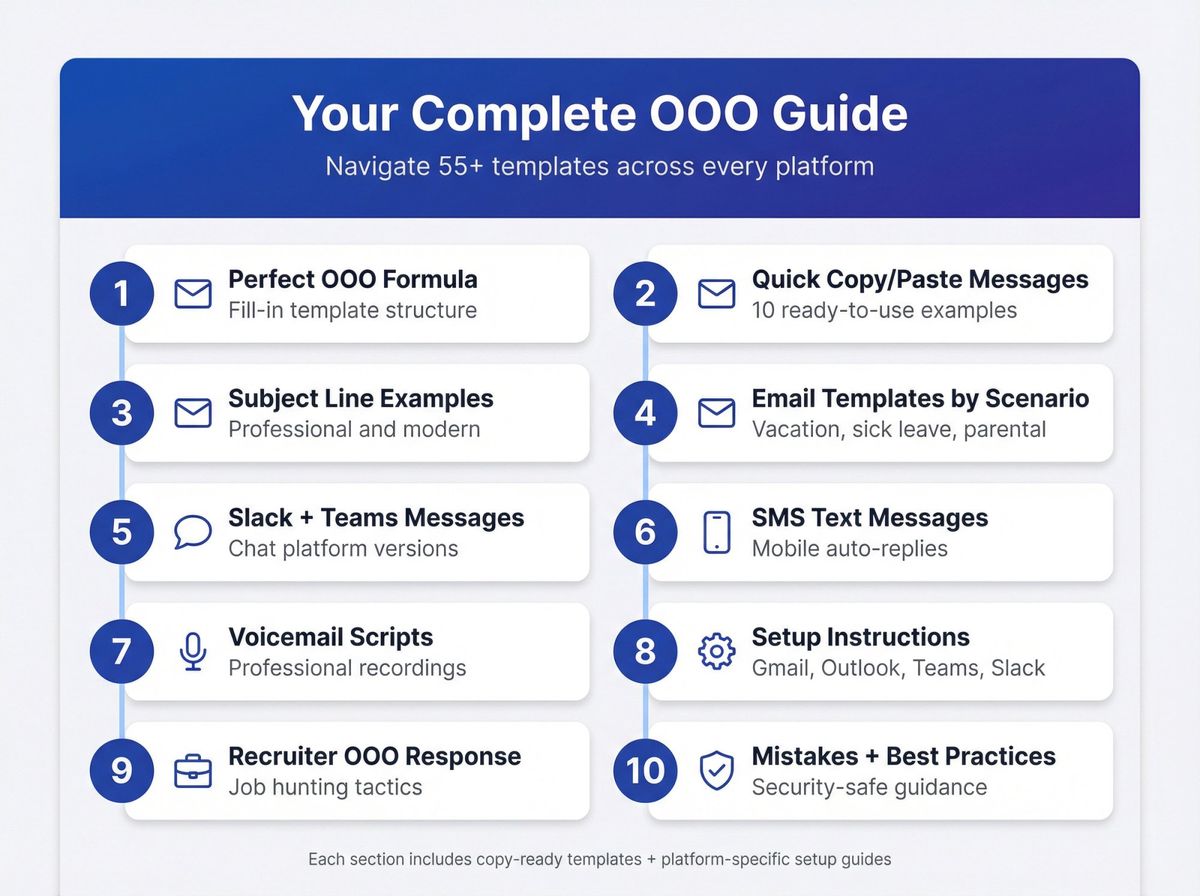
- The "perfect" OOO message formula (fill-in template)
- 10 copy/paste out of office messages (quick wins)
- Subject line examples (professional, clear, and modern)
- Out of office email examples by scenario (vacation, sick leave, parental leave, etc.)
- Slack + Teams out of office message examples
- Out of office text (SMS) message examples
- Out of office voicemail scripts
- Setup: Gmail vacation responder + Outlook automatic replies + Teams + Slack + Google Calendar
- If you're job hunting: how to respond when a recruiter is OOO
- Common mistakes + security-safe best practices
How to Write the Perfect Out of Office Message
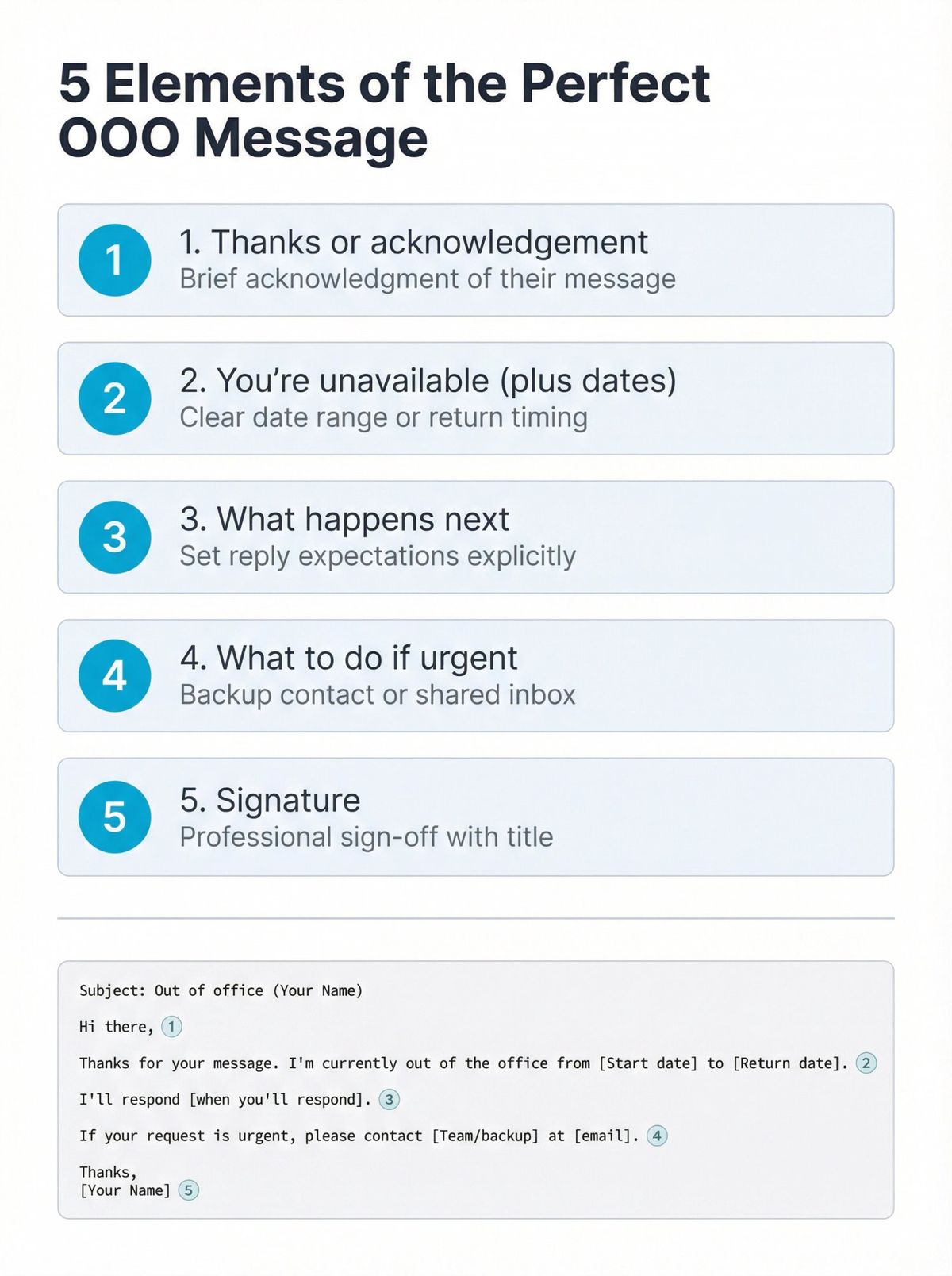
Most effective OOO replies include the same five core elements:
1. Thanks or acknowledgement
2. You're unavailable (plus dates)
3. What happens next (when you'll reply, or confirmation you'll respond upon return)
4. What to do if urgent (backup contact or shared inbox)
5. Signature
This structure appears consistently across professional email templates because it delivers clarity without unnecessary detail.
Copy/paste fill-in template (best all-around)
Subject: Out of office (Your Name)
Hi there,
Thanks for your message. I'm currently out of the office from [Start day/date] to [Return day/date].
I'll respond [when you'll respond].
If your request is urgent, please contact [Team/shared inbox or backup person] at [email/phone].
Thanks for your understanding,
[Your Name]
[Title] | [Company]
Security-friendly tweak: For external senders, consider removing exact dates and named individuals. Cybersecurity guidance from IT departments increasingly recommends this approach.
One quick distinction before the templates: your internal messages can be specific (name the project, name the colleague covering for you); your external messages should stay generic on purpose, since a detailed external auto-reply is also useful information to anyone testing your company for a social-engineering attempt. The Security Best Practices section later in this guide goes into this in more depth.
10 Best Out of Office Message Examples (Copy & Paste)
Use these when you want something clean, modern, and impossible to mess up.
① Simple + professional
Thanks for your email. I'm out of office until [Date] and will reply when I return.
② Short + direct
I'm currently away from email and will respond on [Date].
③ Limited access (safe wording)
I'm away from my inbox and may have limited access to email. I'll respond as soon as I'm back.
④ Internal teammate version (more detail)
I'm OOO until [Date]. For anything urgent on [Project/Area], please message [#channel / teammate].
⑤ External client version (safer detail level)
Thanks for reaching out. I'm currently unavailable and will respond as soon as possible upon my return.
⑥ One-day appointment
I'm away from my desk today and will respond by [Time/Next business day].
⑦ Company closure / holiday
Our office is closed today for [Holiday]. We'll respond when we're back on [Date].
⑧ Sick leave (minimal detail)
I'm currently away and not checking email. I'll respond when I'm able.
⑨ Recruiting / hiring pipeline
Thanks for your message. I'm away until [Date]. For interview scheduling or urgent hiring questions, contact [shared inbox].
⑩ Job seeker (personal inbox)
Thanks for your email. I'm away until [Date]. If you'd like to schedule an interview, please send availability for next week and I'll reply as soon as I'm back.
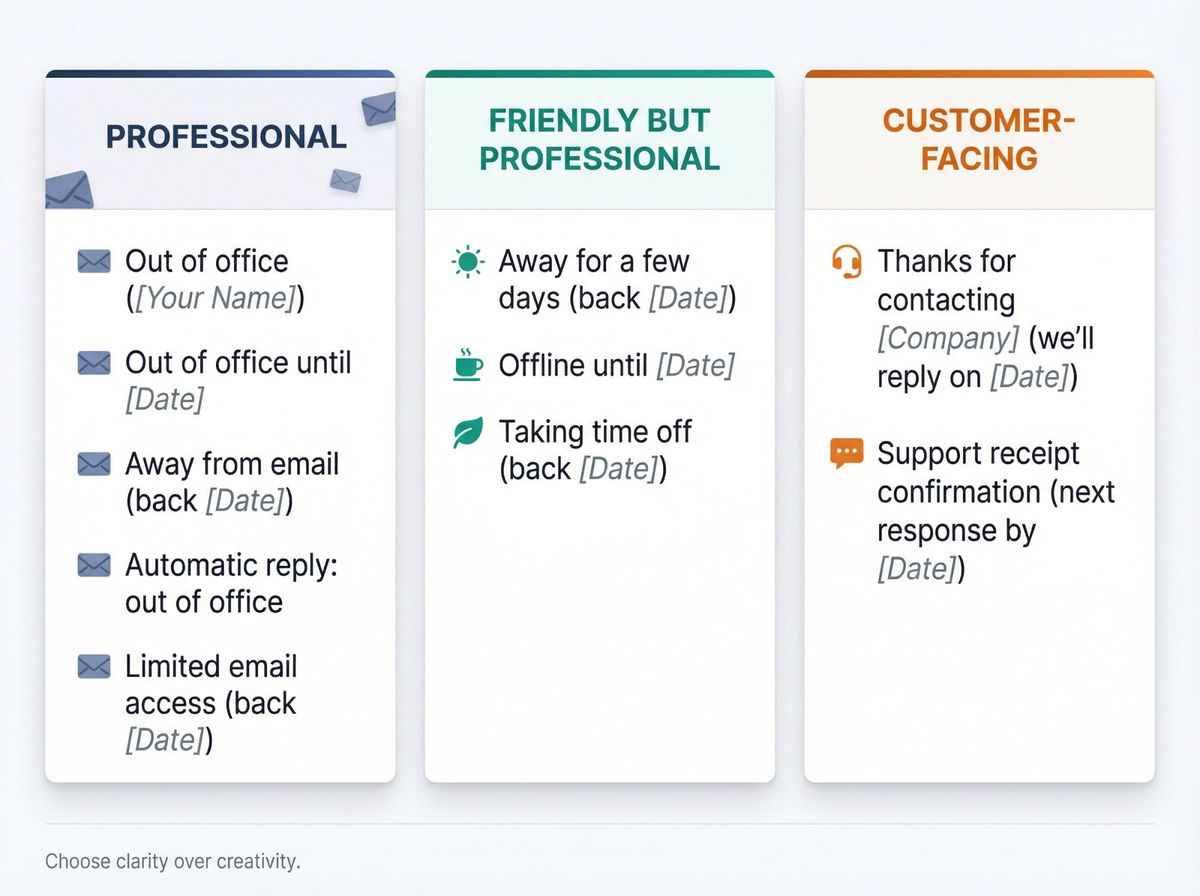
What to Write in Out of Office Subject Line
A good subject line needs to be completely unambiguous. Professional email templates consistently recommend keeping it crystal clear.
Out of Office Email Templates by Situation
Below is a complete template library organized by real situations. Each template includes a default version plus optional variations.
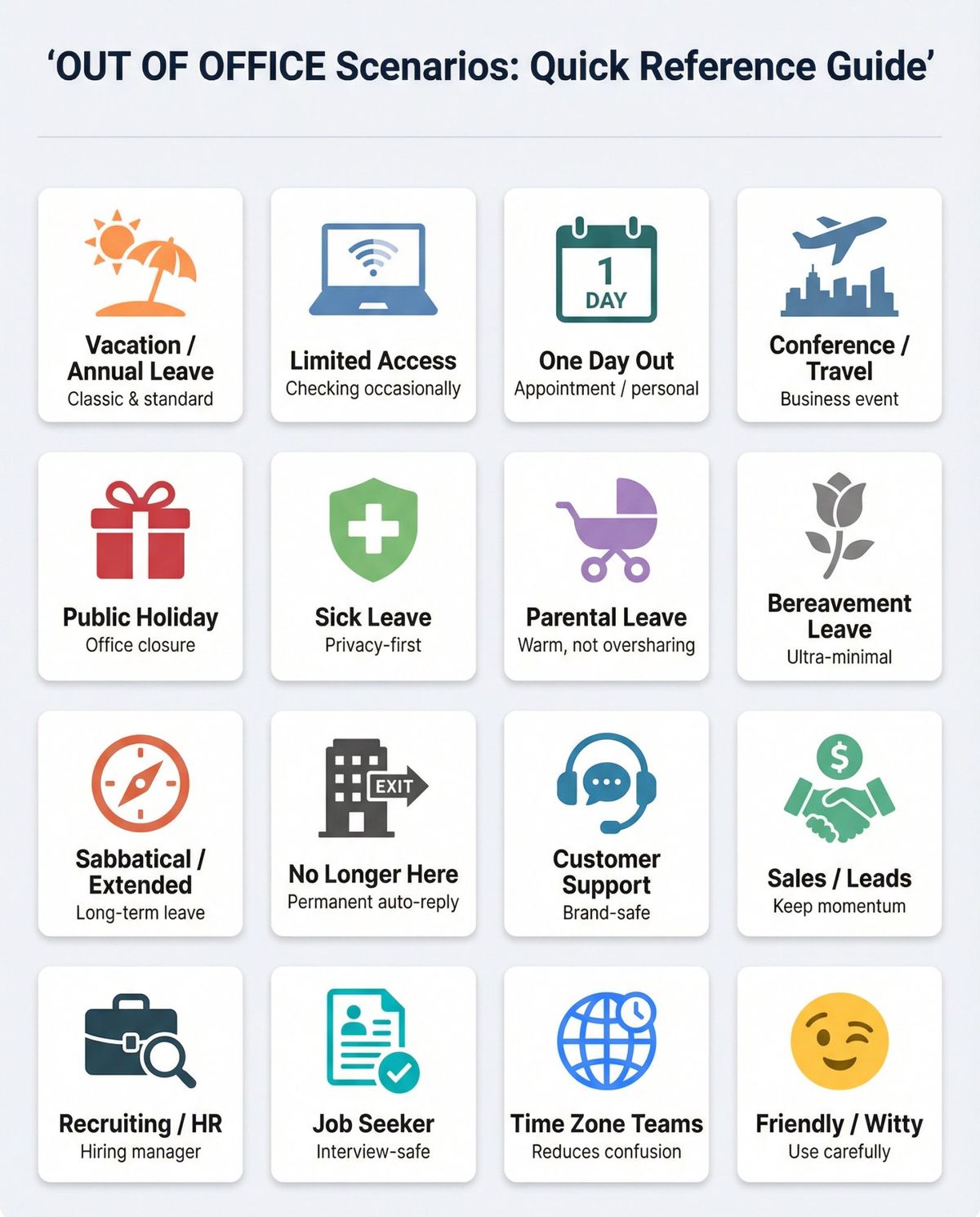
1) Vacation / annual leave (classic)
Template A (standard):
Subject: Out of office (back [Date])
Hi, thanks for your email. I'm out of the office until [Date] and will reply when I return.
If this is urgent, contact [Shared inbox / teammate] at [Email].
Best,
[Name]
Template B (external-safe):
Subject: Out of office
Thanks for your message. I'm currently unavailable and will respond as soon as possible upon my return.
For urgent requests, please email [shared inbox].
[Name]
Why this matters: Security guidance increasingly recommends less detail for external senders. Avoid exact dates, destinations, and named individuals when possible.
2) Limited access (checking occasionally)
Template A (sets expectation without promising):
Subject: Limited email access (back [Date])
Thanks for your email. I'm away and have limited access to my inbox until [Date].
If urgent, contact [Name/Team] at [Email]. Otherwise, I'll reply after I return.
Best,
[Name]
Template B (only for internal colleagues):
I'm OOO until [Date]. I may check email once per day, but for anything time-sensitive please ping me on [Slack/Teams] and tag [backup person/channel].
3) One day out (appointment / personal day)
Template (clean + specific):
Subject: Out of office today
Thanks for your email. I'm out of the office today and will respond on [Next business day/date].
If urgent, contact [backup] at [email].
[Name]
4) Conference / business travel
Template A (professional):
Subject: Away at [Conference] (back [Date])
Thanks for your email. I'm attending [Conference/Event] and will have limited access to email until [Date].
For urgent requests, contact [backup] at [email].
Best,
[Name]
Template B (lead-friendly, but still helpful):
If you're emailing about [topic], please include [required info] so I can respond faster when I'm back.
5) Public holiday / office closure
Template (team/brand voice):
Subject: Office closed ([Holiday])
Thanks for your message. Our office is closed for [Holiday] and will reopen on [Date].
We'll respond as soon as possible after we return.
The [Company] Team
6) Sick leave (privacy-first)
Template (minimal + respectful):
Subject: Out of office
Thanks for your email. I'm currently away and not checking messages. I'll respond when I'm able.
For urgent matters, please contact [shared inbox / backup].
[Name]
Why it works: Professional communication experts explicitly warn against oversharing in OOO replies, especially for health-related absences.
7) Parental leave (warm but not oversharing)
Template A (simple):
Subject: Parental leave
Thanks for your email. I'm on parental leave until [Month/Date] and won't be monitoring my inbox.
Please contact [team/shared inbox] at [email] for assistance.
[Name]
Template B (internal colleagues):
I'm on parental leave until [Date]. For ongoing items, please coordinate with [backup] and document updates in [tool/channel].
8) Bereavement leave (ultra-minimal)
Template:
Subject: Out of office
Thanks for your email. I'm currently away and will respond when I return.
For urgent matters, contact [shared inbox / backup].
[Name]
9) Sabbatical / extended leave
Template A (external):
Subject: Out of office
Thanks for your message. I'm currently unavailable and will respond upon my return.
For immediate assistance, email [team/shared inbox].
[Name]
Template B (internal with project handoff):
I'm on extended leave until [Date]. For [Project], please contact [Owner] and refer to [doc link / tracker] for status.
Security note: Extended leaves are scenarios where overly specific timelines can increase risk. Cybersecurity best practices suggest using "returning in [Month]" rather than an exact day for external senders.
10) "I no longer work here" (permanent auto-reply)
This is one of the most overlooked (and most useful) autoresponders.
Template (best practice):
Subject: Re: [Original subject]
Thanks for your email. I'm no longer with [Company] and won't receive future messages at this address.
For help with [topic], please contact [team/shared inbox] at [email].
Tip: Keep it short and do not forward to personal email addresses.
11) Customer support / shared inbox (brand-safe)
Template A (support acknowledgment):
Subject: We received your message ([Company] Support)
Thanks for contacting us. Our team has received your message and will respond within [timeframe].
For faster help, include [order number / account email / screenshots].
Template B (after-hours):
Thanks for your message. Our support hours are [hours + timezone]. We'll respond on the next business day.
12) Sales / inbound leads
Template (polite + keeps momentum):
Subject: Out of office (back [Date])
Thanks for reaching out. I'm away until [Date].
If you'd like a quicker response, email [sales@ / shared inbox] and include [company size + use case].
[Name]
13) Recruiting / HR / hiring manager
Template A (recruiter):
Subject: Out of office (hiring team update)
Thanks for your message. I'm out of office until [Date].
For interview scheduling, please contact [recruiting@ / coordinator].
[Name]
Template B (hiring manager):
Thanks for your email. I'm away until [Date]. If this relates to an active candidate, please contact [recruiter/shared inbox].
14) Job seeker: out of office templates that won't hurt your interviews
If you're actively job hunting, your auto-reply needs to accomplish two things simultaneously:
→ Be professional
→ Keep interview scheduling easy
Template A (calendar-friendly):
Subject: Out of office (back [Date])
Thanks for your email. I'm away until [Date].
If you'd like to schedule an interview, please share a few times for [Date range] and your timezone, and I'll confirm as soon as I'm back.
Best,
[Name]
Template B (short + safe):
Thanks for your email. I'm currently away and will respond on [Date].
Job search tip: When you're actively applying to positions, you need more than just OOO templates. You need tailored resumes, personalized cover letters, and follow-up email strategies. AIApply handles all of this automatically using AI, so you can focus on interview prep instead of endless customization. Our AI Resume Builder generates job-specific résumés in under 2 minutes, and our AI Cover Letter Generator crafts role-specific letters that sound human. 80% of our users are more likely to get hired faster because every application is optimized for both the job and Applicant Tracking Systems.
15) Time zone / international teams
Template (reduces confusion):
Subject: Out of office (back [Date])
Thanks for your email. I'm out of office until [Date].
I'm currently working in [Timezone] (UTC[+/-X]) and will respond after I return.
If urgent, contact [backup/shared inbox].
[Name]
16) Friendly / witty (use carefully)
Humor appears in modern OOO messages, but keep it harmless and workplace-safe.
Template A (light):
I'm currently away from my inbox and will reply on [Date]. Thanks for your patience!
Template B (still professional):
I'm out of office until [Date]. If this is urgent, please contact [backup]. Otherwise, I'll reply when I'm back.
Best Out of Office Messages for Slack & Microsoft Teams
Chat status messages should be shorter than email and optimized for quick scanning.
Slack: how OOO status behaves (and why it matters)
Slack's out-of-office status can display an ⛔ emoji, show your message in your profile, and can even DM someone your status when they @mention you (depending on settings). Slack can also sync OOO status with Google or Outlook calendar events.
Slack status examples (copy/paste)
⛔ OOO (back [Mon, Jan 8])
⛔ OOO today (replies tomorrow)
⛔ On leave (contact #support-help)
⛔ No notifications (ping [backup] for urgent)
⛔ In meetings (checking messages after 4pm)
⛔ Traveling (limited replies)
⛔ Offline (email [shared inbox] for urgent)
⛔ Out sick (back when I can)
⛔ Vacation (back [Date])
⛔ Heads-down (slow replies today)
Teams: scheduling out of office (and Outlook sync)
Microsoft Teams lets you schedule out-of-office status plus a message, and that status can sync with Outlook automatic replies. Teams also supports separate handling for external senders (contacts vs all).
Teams status message examples (copy/paste)
① Out of office until [Date]
② Out today (reply tomorrow)
③ On leave (contact [Name/Team])
④ In interviews (checking messages after 5pm)
⑤ Away (email [shared inbox] for urgent)
⑥ Traveling (limited access)
⑦ Focus time (slow replies)
⑧ Out sick (back when able)
⑨ Offline (please leave details)
⑩ OOO (schedule requests to [coordinator/shared inbox])
Out of Office Text Message Examples (SMS)
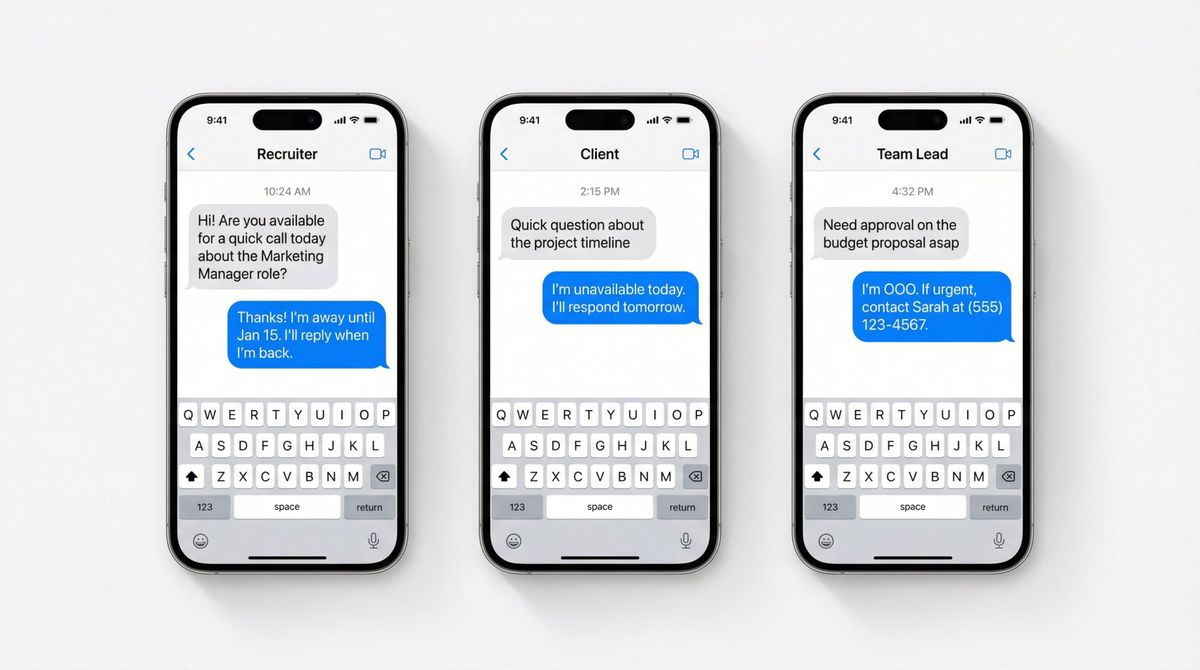
Text auto-replies should be short and crystal clear. SMS guides remind us that standard SMS is commonly treated as 160 characters, so you must prioritize only the essentials.
Also: if you include a colleague's number, confirm they consent (good privacy and professionalism).
12 SMS out-of-office templates
#Template1Thanks! I'm away until [Date]. I'll reply when I'm back.2I'm unavailable today. I'll respond tomorrow.3I'm away from messages until [Date]. Urgent? Email [shared inbox].4Out sick today. Will reply when able.5On holiday until [Date]. For urgent help: [team email].6I'm in meetings. I'll reply after [Time].7We're closed today for [Holiday]. Back on [Date].8I'm traveling and may respond slowly.9Away from phone. Please email [support@].10I'm OOO. If urgent, contact [Name] at [number].11Thanks for your message (received). Response by [timeframe].12I no longer monitor this number. Please contact [support@].
Out of Office Voicemail Message Scripts
Voicemail needs three things: who you are, when you're back, what to do next.
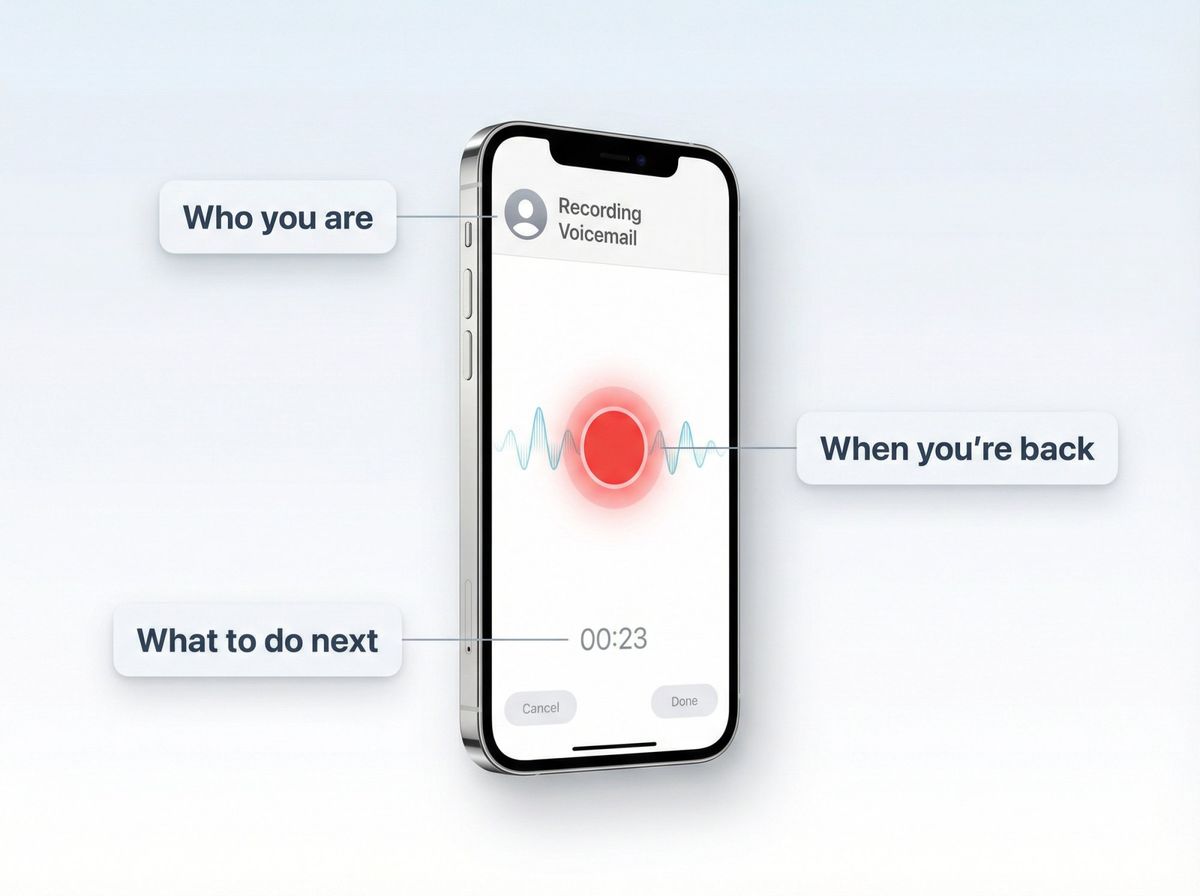
6 voicemail scripts
① Standard OOO
"Hi, you've reached [Name] at [Company]. I'm currently out of the office until [Date]. Please leave your name, number, and a brief message, and I'll return your call when I'm back."
② Urgent redirect
"Hi, this is [Name]. I'm unavailable until [Date]. If this is urgent, please call [Team/Reception] at [Number]. Otherwise, leave a message and I'll get back to you."
③ Customer support
"Thanks for calling [Company]. Our support hours are [Hours/Timezone]. Please leave your details, or email [support@] for the fastest response."
④ Recruiting
"Hi, this is [Name]. I'm out of office until [Date]. For interview scheduling, please email [recruiting@] with your availability and timezone."
⑤ Sick leave (privacy-first)
"Hi, this is [Name]. I'm currently away from work. Please leave a message and I'll respond when I'm able."
⑥ No longer at company
"You've reached [Name]. I'm no longer with [Company]. Please contact [team number] for assistance."
How to Set Up Out of Office in Gmail, Outlook, Teams & Slack
You asked for examples, but the most expensive mistake is writing a great OOO and not activating it (or leaving it on for weeks). Here are the quick setup notes people usually miss.
Gmail: Vacation responder essentials
Gmail lets you set a date range, subject, and message, and optionally restrict replies to contacts only. Your responder starts at 12:00 AM on the start date and ends 11:59 PM on the end date (unless you end it earlier). Gmail typically sends the auto-reply only the first time someone emails you, and can resend after four days if it's still on.
Also useful: Gmail won't send auto-replies to spam or mailing lists, and adding a subject line can keep the auto-reply out of the same thread.
Outlook: Automatic replies essentials
Outlook (Microsoft 365/new Outlook) supports:
→ Scheduling start/end times
→ Separate messages for inside vs outside your organization
→ Choosing to send external replies only to contacts (recommended, since external replies can go to newsletters/junk email too)
Outlook also notes that automatic replies aren't supported for some non-Microsoft accounts (like certain POP/IMAP setups), in which case you may need an alternative approach.
Outlook workaround: Rules-based auto-reply
Microsoft's documented workaround is to use rules with an Outlook template, but it requires leaving Outlook running for the rule to send replies.
Teams: schedule OOO + sync to Outlook
Teams can schedule your OOO status and message, and it can sync with Outlook automatic replies. An OOO message is required to set the status/sync.
Slack: OOO status + calendar sync
Slack's OOO status can show an emoji and message, and it can sync with Google Calendar or Outlook Calendar apps in Slack so calendar OOO events trigger Slack OOO status.
Google Calendar: OOO events auto-decline meetings
Google Calendar supports "Out of office" events, and when you mark OOO, your calendar can automatically decline meetings during that time.
What to Do When a Recruiter Has an Out of Office Message
When you email a recruiter and receive an auto-reply, your goal is to keep momentum without looking impatient.
3 best next moves
① Check the OOO for alternate contact (recruiting coordinator, shared inbox)
② Reply with your availability anyway (so they can act immediately when back)
③ Set a follow-up date (a short, polite nudge after their return date)
Follow-up template (recruiter is OOO):
Subject: Re: [Role] (Availability for next steps)
Hi [Name], thanks for the update. I hope you enjoy your time away.
When you're back, I'm available for a quick call on:
- [Day, time, timezone]
- [Day, time, timezone]
- [Day, time, timezone]
If it's easier, I'm also happy to coordinate with a recruiting coordinator.
Best,
[Your Name]
Job search efficiency: Following up with recruiters is just one small part of landing your next role. If you're applying to dozens of positions, you need a system that handles resume customization, cover letter generation, and application tracking automatically. AIApply does exactly that. Our Auto Apply feature can submit up to 500 tailored applications per month while you focus on interview preparation, and our Interview Buddy Chrome extension provides real-time answers during live video interviews. 80% of our users land interviews within the first month.
For more professional communication strategies, check out our guides on how to write a follow-up email after an interview, job application follow-up email etiquette, and when to follow up on a job application.
Out of Office Message Mistakes to Avoid
These issues appear repeatedly across OOO template resources, and they're all easy to avoid:
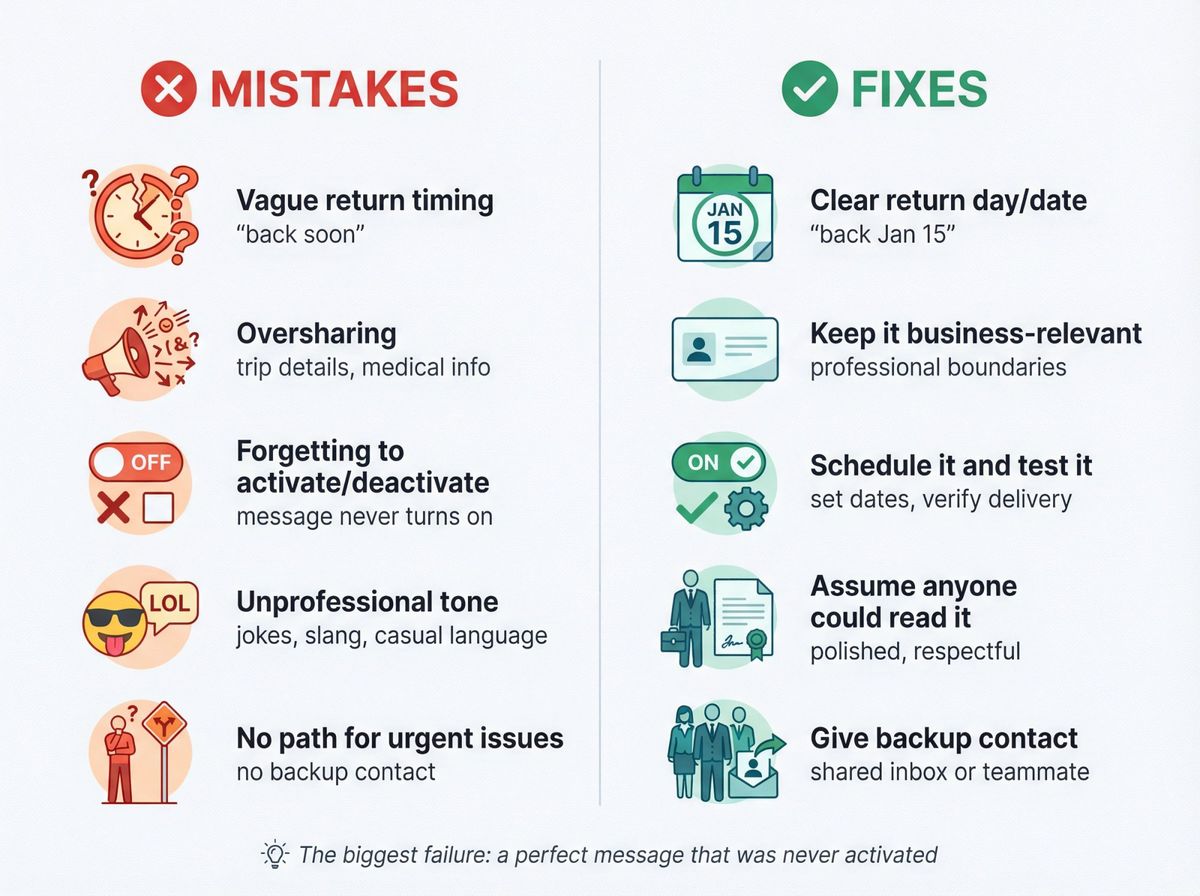
MistakeFixVague return timing ("back soon")Use a clear return day/dateOversharing (trip details, medical specifics)Keep it business-relevantForgetting to activate/deactivateSchedule it and test itUnprofessional tone (especially for external audiences)Assume anyone could read itNot providing a path for urgent issuesGive a shared inbox or backup contact
Professional email guides consistently highlight that the biggest failure isn't a poorly written message. It's a perfectly written message that was never activated.
Out of Office Security Best Practices
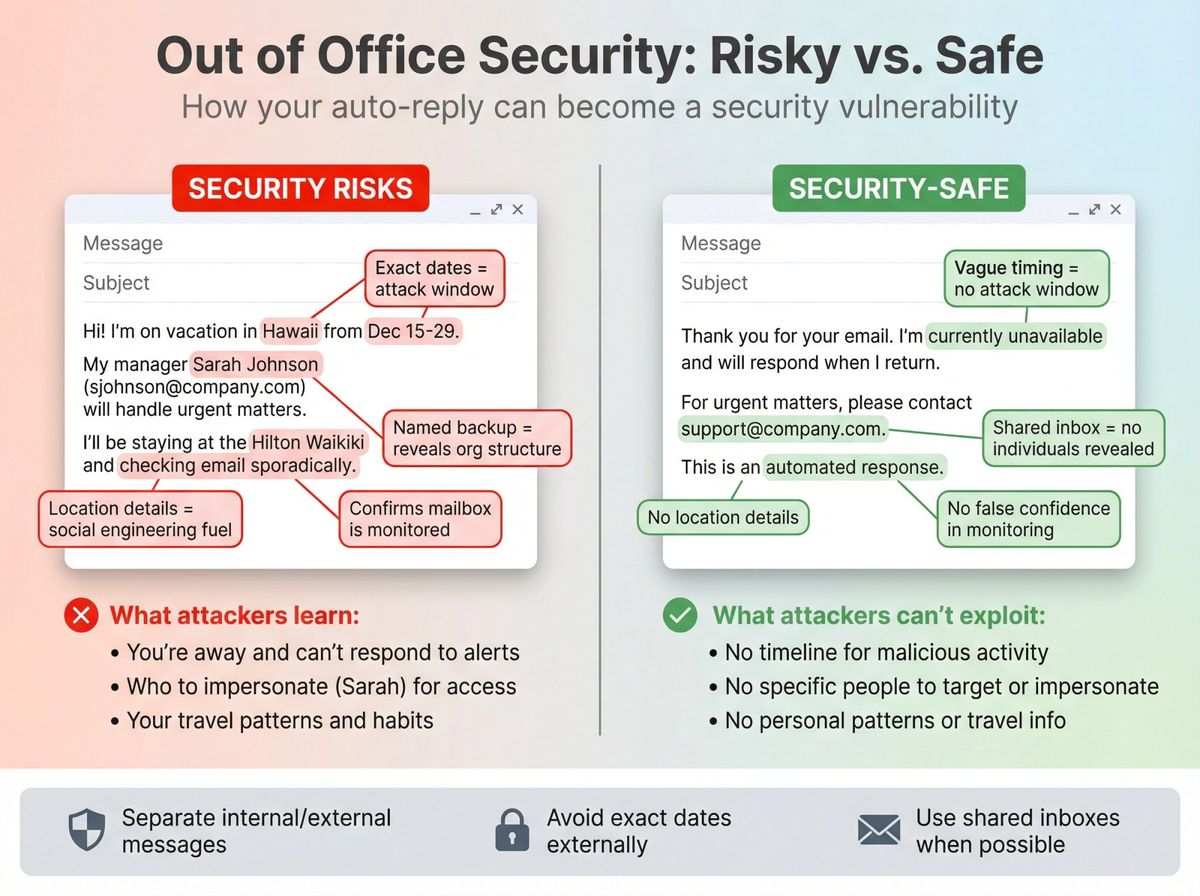
OOO auto-replies can unintentionally help social engineering attacks by confirming you're away, verifying a mailbox is active, and revealing internal relationships. Security guidance from IT and legal/cybersecurity sources consistently recommends:
→ Create different internal vs external messages
→ Avoid exact dates, travel locations, and org/leadership structure in external replies
→ Prefer shared inboxes over naming a specific person externally (when possible)
Also, Microsoft explicitly warns that sending external replies broadly can trigger replies to newsletters/ads/junk email, and recommends restricting external replies to contacts when possible.
Before You Turn On Your Auto-Reply: A 5-Minute Checklist
1. Confirm your return date and set it in both your calendar and your auto-reply — they should match.
2. Write to (and get agreement from) your backup contact before you name them.
3. Set separate internal and external versions if your platform supports it.
4. Send yourself a test email to confirm the auto-reply actually fires.
5. Set a reminder for your first morning back to turn the auto-reply off — a stale OOO reply after you've returned undercuts your own credibility faster than almost anything else in this guide.
Frequently Asked Questions
What should I include in an out of office message?
Your OOO message should include five key elements: an acknowledgement of the email, the dates you'll be unavailable, when you'll respond, what to do if the matter is urgent (backup contact or shared inbox), and your signature. This structure appears consistently in professional communication guides because it balances clarity with security.
How do I set up an out of office reply in Gmail?
In Gmail, go to Settings (gear icon) > See all settings > General tab > Vacation responder. Set your start and end dates, write your subject and message, and optionally restrict replies to contacts only. Gmail sends the auto-reply only the first time someone emails you (and can resend after four days if still active). Gmail won't send auto-replies to spam or mailing lists.
Should I use different out of office messages for internal and external contacts?
Yes, absolutely. Security best practices recommend creating separate internal and external messages. For external contacts, avoid exact dates, travel locations, and specific names of colleagues. For internal colleagues, you can provide more detail about projects, backup contacts, and expected response times. Both Outlook and Teams support this dual-message approach natively.
What's the best out of office subject line?
The best subject lines are completely unambiguous: "Out of office (Your Name)" or "Out of office until [Date]" work perfectly. Avoid vague phrases like "Away" or creative language that might confuse recipients. Professional email templates consistently recommend clear, direct subject lines that immediately communicate your unavailability.
How do I write an out of office message for sick leave?
For sick leave, keep it minimal and privacy-first. A simple message like "Thanks for your email. I'm currently away and not checking messages. I'll respond when I'm able. For urgent matters, please contact [shared inbox / backup]." This approach respects your privacy while still providing a path for urgent issues. Professional communication experts explicitly warn against oversharing health details in OOO replies.
Can I set an out of office message for just one day?
Yes, and you should. For one-day absences like appointments or personal days, use a message like: "Thanks for your email. I'm out of the office today and will respond on [Next business day/date]. If urgent, contact [backup] at [email]." Gmail and Outlook both let you schedule automatic replies for specific date ranges, including single days.
What should job seekers put in their out of office message?
Job seekers need to balance professionalism with keeping interview opportunities moving. Use: "Thanks for your email. I'm away until [Date]. If you'd like to schedule an interview, please share a few times for [Date range] and your timezone, and I'll confirm as soon as I'm back." This keeps the process moving without making you seem unavailable. If you're actively applying to multiple positions, tools like AIApply can help you manage application tracking and follow-ups automatically while you're away. Our AI Resume Builder and Auto Apply feature ensure you never miss opportunities even when you're out of office.
How do I set an out of office message in Slack?
In Slack, click your profile photo > Set a status > tap the calendar icon to schedule your status. Slack's OOO status can display an emoji (like ⛔), show your message in your profile, and can sync with Google or Outlook calendar events. When someone @mentions you, Slack can automatically DM them your OOO message depending on your settings.
What are common out of office message mistakes to avoid?
The most common mistakes: vague return timing ("back soon" instead of a specific date), oversharing personal details (trip itineraries or medical specifics), forgetting to activate or deactivate the message, using an unprofessional tone for external audiences, and not providing a clear path for urgent issues. Professional communication guides emphasize that the biggest failure isn't a poorly written message but a perfectly written message that was never turned on.
Are out of office messages a security risk?
Yes, they can be. OOO auto-replies can help social engineering attacks by confirming you're away, verifying a mailbox is active, and revealing internal relationships. Cybersecurity guidance recommends creating different internal vs external messages, avoiding exact dates and travel locations in external replies, and preferring shared inboxes over naming specific people. Microsoft explicitly warns that sending external replies broadly can trigger responses to newsletters and junk email.