7 Best ATS-Friendly Resume Templates to Land Your Dream Job
Discover the top 7 ATS-friendly resume templates that help you pass Applicant Tracking Systems and impress recruiters. Clean designs, optimized formatting, and real-world performance.


A resume that looks polished can still get misread by the software standing between you and a recruiter. This guide breaks down what actually makes a template ATS-friendly, and gives you 7 you can use right now.
An ATS-friendly resume template uses a single-column layout, standard section headings, no graphics or tables, and clean fonts that applicant tracking systems can parse without errors. Get that right and the rest of your resume actually gets read.
If your applications are going nowhere, the problem might not be your qualifications. It might be your formatting. Resume Genius's 2026 Hiring Insights Report, based on a survey of 1,000 U.S. hiring managers, found that 79% of companies have automated at least part of their hiring process, and 19% now use AI to screen out applications before a human ever reviews them. Your resume isn't just being looked at. It's being converted into data, field by field. If your template makes that conversion fail, nothing else matters.
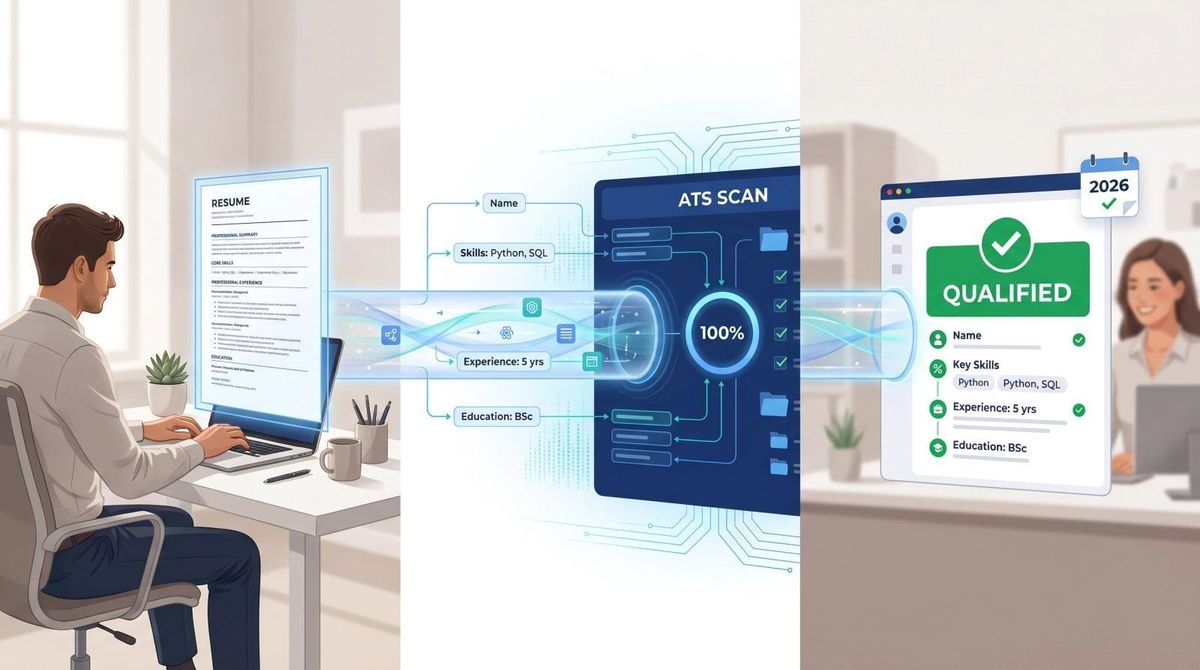
The good news: this is mostly a formatting problem, and formatting problems are solvable. Below are 7 copy-paste ATS-friendly resume templates built for different situations, the rules that make them work, and a tailoring process so your resume gets read once it clears the parser.
Skip the manual version: AIApply's AI Resume Builder generates a clean, ATS-optimized resume tailored to your target job description, then checks it against 50+ ATS systems with the Resume Scanner before you submit anywhere. Build your resume.
7 ATS-Friendly Resume Templates for 2026
Choose the one that fits your situation, then tailor the content for each role.
Template 1: Universal ATS Resume Template
This structure gives ATS parsers a predictable, clean structure to work with across the widest range of industries. Best for most professionals: marketing, finance, HR, customer success, operations, sales, and analyst roles.
Use this template inside AIApply's Resume Builder → Build your resume. The AI fills in the bracketed sections from your background and the job description, so you're not writing the structure from scratch.
Template 2: ATS Resume Template for Students and Graduates
This structure puts education and projects ahead of thin work history, which is what most entry-level ATS setups expect to see first. Best for students, recent
graduates, interns, and anyone with limited formal work experience.
If you're entering a technical field, AIApply's technical resume guide breaks down which skills entry-level employers actually screen for. Build this template with the AI Resume Builder and it will surface the projects and coursework worth leading with.
Template 3: Career Changer ATS Resume Template
This hybrid structure leads with transferable skills but keeps a clear reverse-chronological work history underneath, which gives ATS parsers the timeline they expect while still letting your new-field strengths lead. Best for people moving into a new field, returning to work, or translating older experience into a new role. Avoid a purely functional resume that hides your timeline entirely; parsers and recruiters both read it as evasive.
AIApply's guide on sample resumes for a career change walks through how to frame transferable skills for specific pivots. Build this template with the Resume Builder and it will suggest the framing based on your target role.
Template 4: ATS Resume Template for Software Engineers and Tech Roles
Grouping technical skills by category, rather than dumping 60 tools into one line, is what makes this template ATS-friendly for technical roles. Best for software engineering, data analytics, data science, cybersecurity, cloud, IT, and QA.
For a complete technical resume walkthrough, see AIApply's guide to writing a technical resume that gets interviews. Build this template with the Resume Builder, then run it through the Resume Scanner to check your skills categories parse cleanly.
Template 5: ATS Resume Template for Executives and Senior Leaders
Grouping leadership expertise into named categories rather than a single block of bullets is what keeps this template scannable for both parsers and executive recruiters. Best for directors, VPs, heads of department, and founders. Senior resumes can run two pages when the content genuinely earns it; a 2026 hiring manager survey found that 43% of hiring managers won't read past two pages, but 57% will when the information matters, which makes two pages a sensible ceiling rather than a strict rule.
Build this template with the AI Resume Builder and use natural-language instructions like "make this more executive" to adjust tone without rewriting from scratch.
Template 6: Creative Role ATS Resume Template
Naming specific tools instead of showing them as visual skill bars is what keeps this template parser-safe while still reading as a creative background. Best for designers, copywriters, marketers, content creators, and UX/UI roles. Keep a clean ATS version for portals and a separate, more visual PDF for direct human review or a portfolio submission.
Build this template with the Resume Builder and keep your visual portfolio as a separate, linked document rather than embedding it in the ATS version.
Template 7: ATS Resume Template for Healthcare, Education, and Regulated Roles
Placing licenses and certifications in their own dedicated section near the top is what makes this template ATS-friendly for regulated work, since parsers and compliance-focused recruiters both need to locate credentials fast. Best for nurses, healthcare assistants, teachers, compliance roles, and safety-sensitive positions.
| Test content |
Build this template with the Resume Builder, and use the Resume Scanner to confirm your licenses section parses as its own field rather than merging into your skills list.
How to Tailor Your Resume to a Job Description for ATS
Having the right template gets your resume read correctly. Tailoring is what gets it taken seriously. Here's the process to run before every serious application.
Step 1: Identify the Must-Have Requirements
Copy the job description into a blank document and highlight required job titles or functions, required hard skills, required tools or platforms, required certifications, and industry keywords that repeat.
Step 2: Build a Keyword Map
A simple table helps you track which requirements you've actually addressed:
If a requirement honestly matches your experience, add it in the employer's language. If you don't have it, don't fake it. Employers increasingly use tools that flag exaggerated skills, and false claims risk getting you screened out during a background check, not just during ATS review.
Step 3: Rewrite Your Professional Summary for Each Role
Before: "Hardworking professional looking for a challenging opportunity where I can grow."
After: "Customer Success Manager with 5 years of B2B SaaS experience across onboarding, retention, QBRs, and Salesforce pipeline reporting. Improved renewal rates by 14% through customer health scoring and proactive stakeholder engagement."
The second version tells the recruiter exactly what you do, in the job posting's own language, with a specific number behind it.
Step 4: Back Every Bullet Point with Proof
Before: "Responsible for managing reports and working with teams."
After: "Built weekly Salesforce and Excel pipeline reports for 12 account managers, reducing manual reporting time by 6 hours per week."
The second version has the job-relevant tool, the scope, the action, and the result. That combination is what both the ATS parser and the recruiter are looking for.
Step 5: Run an ATS Scan Before You Submit
Before you hit apply, run your resume through an ATS checker. AIApply's Resume Scanner analyzes your resume against 50+ ATS systems and gives you specific keyword recommendations, formatting issue detection, and content quality feedback. It accepts PDF, DOC, and DOCX files, and scans are unlimited and free.
The Plain-Text Test: Check Your Resume for Parsing Issues in 60 Seconds
Export your resume as a PDF, open it, select all text, copy it, and paste it into Notepad, TextEdit, or any plain-text editor. Read it top to bottom.
If the pasted version reads in the correct order (name first, then contact info, then summary, then experience), your resume is probably parsing cleanly. If your work history appears before your name, columns are mixed together, or skills disappear entirely, fix the layout before applying anywhere. This isn't a perfect ATS simulation, since different systems parse differently, but it catches the obvious problems that would silently sink an application.
ATS Resume Checklist: What to Check Before You Apply
- Resume uses one column
- Contact information is in the body, not the header or footer
- No tables, text boxes, icons, logos, charts, or skill bars
- No headshot unless specifically required by the employer
- Standard headings: Summary, Skills, Experience, Education
- Job titles, company names, locations, and dates are easy to identify
- Dates use a consistent format (Month YYYY – Month YYYY)
- Fonts are standard: Arial, Calibri, Helvetica, or similar
- Body text is 10 to 12 points; headings 14 to 16 points
- Skills section includes relevant hard skills and tools
- Keywords from the job description appear naturally in context
- No hidden keywords, white text, or keyword stuffing
- File name is clear: Firstname-Lastname-Resume-TargetRole.docx
- PDF text can be selected and copied, not a scanned image
- Resume has been scanned against the job description before applying
ATS Resume Format by Career Level
The rule across every level: relevance. Don't pad your resume to fill a page, and don't cut important proof just to hit one page. Let the content determine the length.
Common ATS Resume Myths
Myth 1: ATS Automatically Rejects 75% of Resumes
This statistic circulates constantly and has no reliable primary source. As covered above, the 2025 Enhancv recruiter study found 92% of rejections are manual or knockout-driven, not algorithmic content rejection. The real risk is subtler: a resume that parses incorrectly gets stored with errors and ranked lower. That's worth fixing. The panic is overblown.
Myth 2: A Perfect ATS Score Guarantees an Interview
No. An ATS-friendly template prevents your resume from being misread. It doesn't make you qualified for the role. The hierarchy that actually gets interviews: fit, then proof, then clarity, then formatting, then design.
Myth 3: PDFs Are Always Bad for ATS
False. Greenhouse's documentation confirms PDF support, and a text-based PDF exported from a word processor works fine in most modern systems. The risky PDF is a scanned or image-based one, where no text can be extracted.
Myth 4: Creative Resumes Are Never Okay
Creative resumes are fine for portfolios, referrals, and direct emails. For job portals, keep a clean ATS version. AIApply's resume format guide covers how to choose between chronological, functional, and hybrid layouts depending on your situation.
Myth 5: One Resume Is Enough
One master resume containing everything is a useful starting point. One resume for every job is a weak strategy. Build the master, then create tailored versions for each role type.
How to Build an ATS-Friendly Resume with AIApply
Everything above is the manual version. Here's the faster workflow:
- Choose an ATS-friendly template. AIApply's AI Resume Builder offers templates designed to be ATS-compatible and visually clean. Start from scratch, upload an existing resume, or import from LinkedIn.
- Paste the job description. The AI surfaces which keywords are relevant and how to use them naturally, without stuffing.
- Let AI sharpen the language, then review it yourself. Use AI to improve bullet clarity and add measurable impact, then read every line to confirm it sounds like a polished version of you.
- Run the AI Resume Scanner. It checks your resume against 50+ ATS systems, flags formatting issues, and suggests keyword fixes. Unlimited scans are free and take about 90 seconds.
- Export in the right format. The builder supports PDF, Word, and plain text, so you can match the format to the application portal.
Resume Bullet Points That Pass ATS and Impress Recruiters
The templates give you structure. The bullets are where you win the interview. The formula: action verb, tool or context, scope, measurable result.
Marketing
Before: "Worked on social media and helped increase engagement."
After: "Managed weekly LinkedIn and Instagram content calendar, increasing average engagement rate by 28% over 4 months through campaign testing and audience segmentation."
Operations
Before: "Improved processes and helped the team work faster."
After: "Redesigned order tracking workflow in Excel and Shopify, reducing manual status-checking time by 9 hours per week across a 6-person operations team."
Software Engineering
Before: "Built backend features for the app."
After: "Developed Node.js API endpoints for user authentication and billing workflows, reducing checkout errors by 17% and supporting 40,000 monthly active users."
Customer Success
Before: "Handled customer accounts and resolved problems."
After: "Managed 42 B2B SaaS accounts using Salesforce and Gainsight, improving renewal rate from 81% to 89% through health-score monitoring and quarterly business reviews."
Every strong bullet has something verifiable. Every weak one is a claim without evidence. AIApply's guide to bad resume examples shows the full pattern of what recruiters reject on sight, and AIApply's guide on how many bullet points to use per job covers how many of these to include for each role on your resume.
Frequently Asked Questions
What is an ATS-friendly resume template?
An ATS-friendly resume template is a layout designed so applicant tracking systems can read your document accurately. It uses plain selectable text, standard section headings, simple fonts, clear dates, and a single-column structure so the parser extracts the right information into the right fields.
What resume format is best for ATS in 2026?
The safest format is reverse-chronological or hybrid, using a single-column layout. Reverse-chronological works best for most people with a consistent work history, and hybrid works well for career changers and technical candidates who need to highlight skills prominently.
Is a two-column resume ATS-friendly?
Sometimes, but not reliably. Some modern ATS platforms parse two-column resumes correctly, but many still can't. Because you rarely know which system a company uses in advance, single-column templates are the safer default for job portals.
Should I submit my resume as a PDF or DOCX?
Follow the employer's instructions first. If there are none, DOCX is often safest for maximum parsing compatibility, and a text-based PDF exported from a word processor works fine in most modern systems. Avoid scanned or image-based PDFs.
Do ATS systems automatically reject resumes?
Not in the way most people think. A 2025 Enhancv study of 25 recruiters found 92% of rejections are manual or knockout-driven rather than automated content rejection. Some employers do configure knockout filters for specific must-have criteria, and a resume that parses incorrectly gets stored with errors, so formatting still matters.
Are Canva resume templates ATS-friendly?
Some simple Canva templates work if they export as selectable text and avoid columns, icons, and graphics. Many highly visual Canva templates are better for portfolios than for job portals. Run the plain-text test before submitting one anywhere.
Can I use AI to help write an ATS-friendly resume?
Yes, with one caveat. AI is useful for rewriting bullets, matching job-description language, and strengthening structure. What it shouldn't do is invent experience you don't have. Use AI like an editor, not a ghost writer, and only submit what you could confidently explain in an interview.
How do I know if my resume is ATS-friendly?
Run three checks: do the plain-text test, review the parsed fields inside an application portal before submitting if it shows you one, and scan it with AIApply's Resume Scanner, which checks against 50+ ATS systems and gives specific feedback on formatting, keywords, and content alignment. It's free and takes about 90 seconds.
How many keywords should I include in an ATS resume?
There's no magic number. The goal is coverage, not count. Identify every phrase in the job description that accurately describes your experience, then use those phrases in context rather than in a repeated list.
Does Your Resume Pass ATS? The Final Check
Templates solve a specific problem: they stop your resume from being misread by software before a human ever sees it. But the template is the container. Your tailored content is what actually earns the interview.
Choose a clean single-column structure, use the employer's language where it honestly matches your experience, prove your claims with specific numbers, and run it through a scanner before you apply.
AIApply's AI Resume Builder and Resume Scanner are built around exactly that workflow. Start with an ATS-compatible template, tailor it to the job description, and scan it against 50+ ATS systems before you submit. AIApply is used by over two million job seekers, and the platform is rated Excellent on Trustpilot. Your resume is probably good. It might just need the right container.