Should You Include LinkedIn on Your Resume? (2026 Guide)
Yes, include LinkedIn on your resume, but only if the profile behind that link is worth clicking. Here's when it helps and when to wait.


Yes, you should include LinkedIn on your resume. But only if your profile is worth clicking.
That's not a hedge. That's the actual answer. The question isn't really whether to include it. It's whether your LinkedIn profile is in a state that helps your application or quietly undermines it. A polished, current, complete profile gives recruiters more proof that you're the right candidate. A stale, half-filled, or contradictory profile does the opposite.
Think of your resume as the pitch and LinkedIn as the supporting evidence. Your resume says, "here's why I fit this role." Your LinkedIn profile says, "and here's the proof." When both tell the same story, the recruiter's confidence goes up. When they contradict each other, doubt fills the gap.
The rule: Include LinkedIn if it gives the employer more confidence in you. Leave it off (or fix it first) if it would create doubt.
We've helped over a million job seekers at AIApply build and optimize their applications, and this question comes up constantly. The answers below are based on what actually works. Not what sounds nice in theory.
LinkedIn's own about page reports more than 1.3 billion members across over 200 countries and regions. SHRM's 2025 Talent Trends research found that social media was the most widely used recruiting strategy, with 55% of organizations using it to connect with candidates. Your LinkedIn profile is part of your professional identity whether you actively manage it or not.
LinkedIn on a Resume: When to Include It and When to Wait
Before we go deeper, here's the quick reference table. If your situation is in this table, you have your answer:
| Situation | Include LinkedIn? | Why |
|---|---|---|
| Profile is complete, current, and professional | Yes | Gives recruiters extra proof |
| LinkedIn matches your resume | Yes | Builds trust between the documents |
| You have projects, certifications, recommendations, or portfolio work | Yes | Shows what a one-page resume can't |
| Profile is empty or outdated | Not yet | Makes you look careless |
| Job titles or dates conflict with your resume | Not yet | Inconsistencies raise red flags |
| Profile is private or mostly hidden | Not yet | The link will frustrate the recruiter |
| Online activity is unprofessional | Not yet | Distracts from your qualifications |
| You don't have LinkedIn at all | Usually okay | Not mandatory, but a clean profile helps |
The condition for including it is simple: make sure the profile behind the link is actually worth clicking.
Why Recruiters Want to See LinkedIn on Your Resume in 2026
Hiring has shifted. Recruiters don't just read a resume and decide. They search online, verify claims, and look for evidence beyond what fits on two pages.
LinkedIn's 2025 Future of Recruiting report found that AI is reshaping how recruiters work, with talent acquisition teams moving toward skills-based hiring at a significant pace.
Ninety-three percent of talent acquisition professionals in that report said accurately assessing a candidate's skills is crucial for improving quality of hire. That tells you something important: recruiters are looking for proof, not just claims.
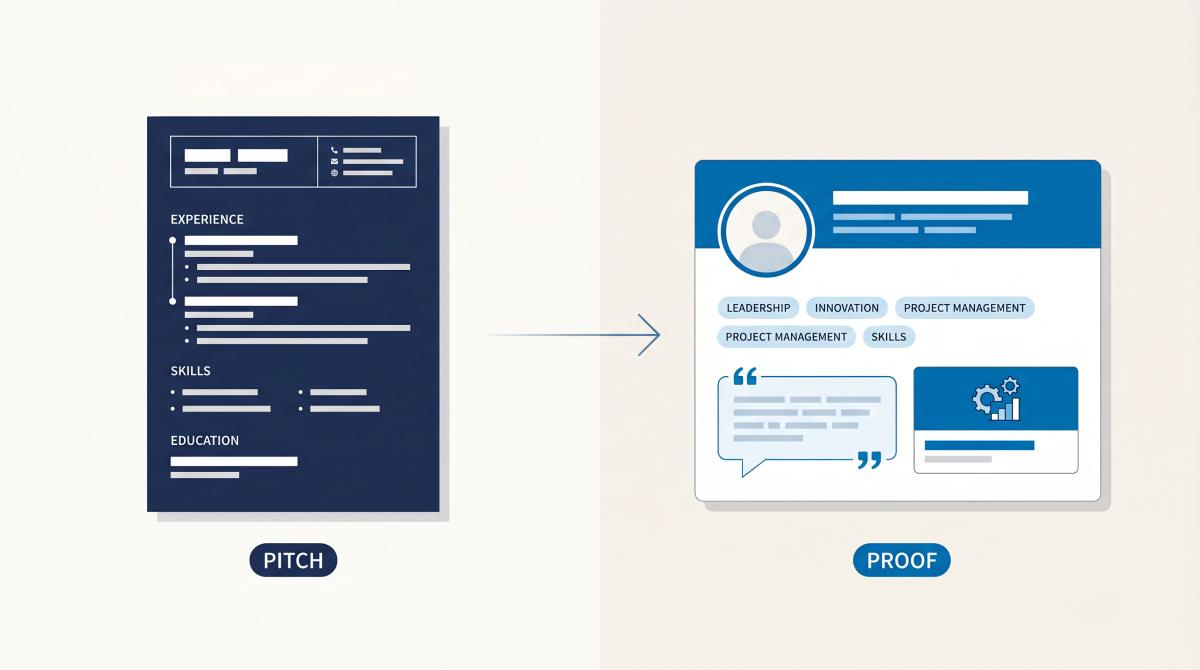
Your resume has real space constraints. One or two pages to prove you're worth interviewing. LinkedIn doesn't have those constraints. On your profile, you can include a complete career narrative, full project descriptions, case studies, published articles, client recommendations, certifications with issue dates, volunteer history, and a Featured section pointing to external work. None of that fits neatly on a resume. But all of it can tip a recruiter who's on the fence after reading your resume.
There's also a discoverability angle. When recruiters use LinkedIn's search tools to find candidates, your profile's completeness and keywords determine whether you appear. Including your URL on a resume isn't just about one recruiter verifying you. It's about making sure your professional presence is findable and credible everywhere. A well-built LinkedIn profile and a well-optimized resume reinforce each other.
A well-targeted resume gets the recruiter interested. A well-built LinkedIn profile helps them believe you.
Where to Put LinkedIn on Your Resume
Put your LinkedIn URL in your resume header, right next to your email address, phone number, and location. That's the only correct placement.
Not at the bottom of the page. Not buried in a sidebar. Not floating somewhere after your skills section. The header is where contact and verification information lives, and LinkedIn is contact and verification information. Understanding the essential components of a resume helps you know exactly what belongs in each section.
Here are clean examples for different professional contexts:
Simple professional:
| Alex Morgan Chicago, IL | alex.morgan@email.com | 555-555-5555 | linkedin.com/in/alex-morgan |
Tech professional:
| Priya Shah Bengaluru, India | priya.shah@email.com | +91 90000 00000 linkedin.com/in/priya-shah | github.com/priyashah | priyashah.dev |
Creative:
| Elena Garcia Madrid, Spain | elena@email.com | +34 600 000 000 linkedin.com/in/elena-garcia | elenagarcia.design |
Student:
| Sam Taylor Manchester, UK | sam.taylor@email.com | +44 7000 000000 linkedin.com/in/sam-taylor | github.com/samtaylor |
Executive:
| Daniel Roberts London, UK | daniel.roberts@email.com | +44 7000 000000 | linkedin.com/in/daniel-roberts |
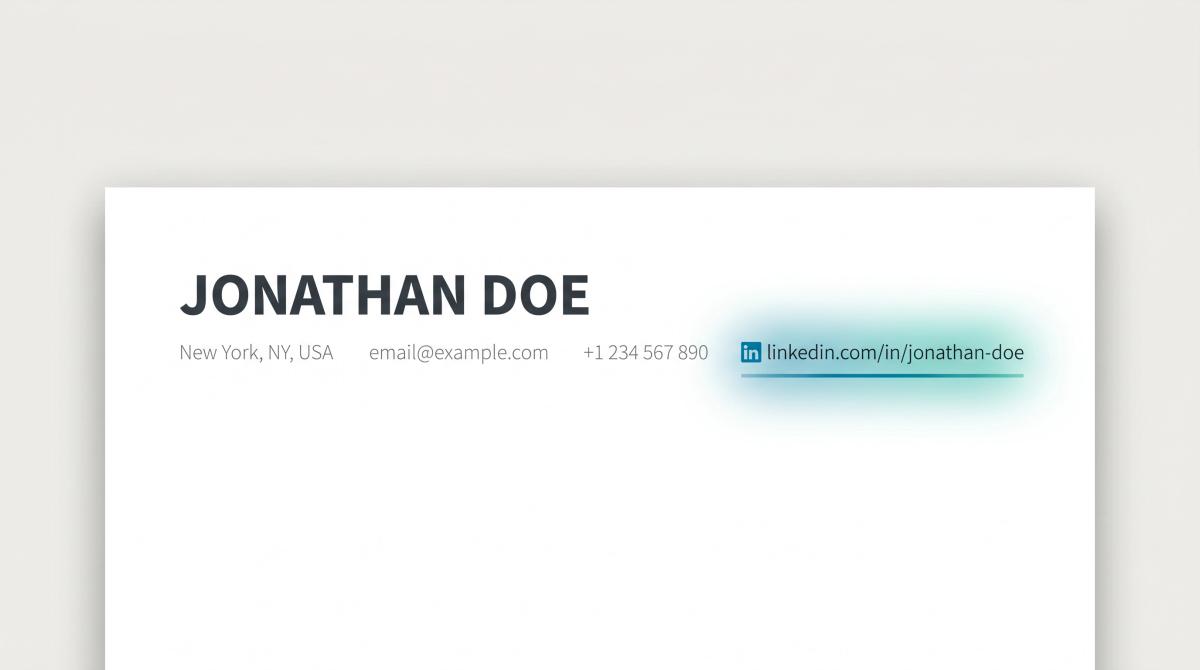
The header placement signals to recruiters that LinkedIn is part of your professional identity, not something you added as an afterthought. Most modern resumes no longer need a full street address, so the space in the header is almost always available. If you want to see this in practice, our AI Resume Builder formats your header cleanly with all the right contact fields.
How to Format Your LinkedIn URL for a Resume
This is where most people make small mistakes that have a surprisingly large impact on how professional their resume looks. Following proven resume format tips makes the difference between a polished header and a cluttered one.
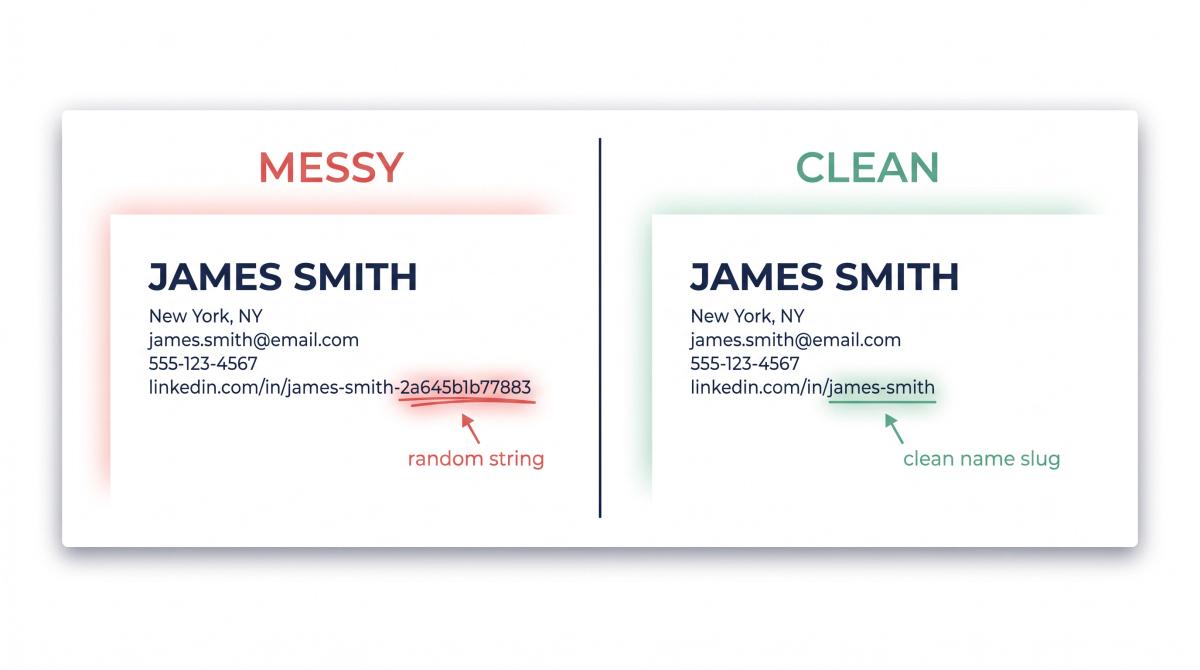
Step 1: Customize your URL before you add it.
By default, LinkedIn assigns a URL that includes a random alphanumeric string, something like linkedin.com/in/james-smith-2a645b1b77883. That string adds nothing useful and looks messy on a resume.
LinkedIn's help documentation says custom URLs can be 3 to 100 characters long and shouldn't contain spaces, symbols, special characters, or the word "linkedin." LinkedIn recommends using a variation of your name or professional brand.
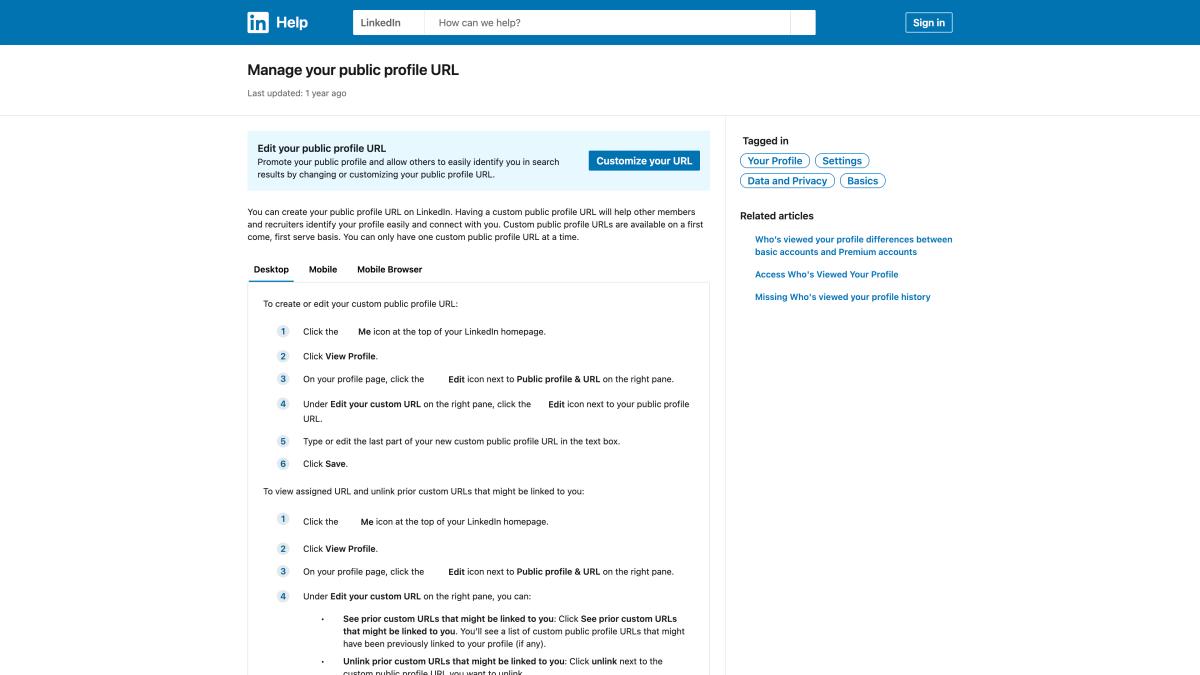
Use:
| linkedin.com/in/firstnamelastname linkedin.com/in/firstname-lastname |
If your name is taken:
| linkedin.com/in/firstname-lastname-role linkedin.com/in/sarah-nguyen-data linkedin.com/in/sarah-nguyen-cpa |
Avoid random strings, birth years, nicknames, jokes, or anything that looks like an old gaming handle. Your LinkedIn URL goes on a professional document. It should read like one.
Step 2: Choose the right display format.
Cleaner (use this):
| linkedin.com/in/your-name |
Acceptable (if your name is very common):
| linkedin.com/in/your-name-product-manager |
Messy (avoid):
| https://www.linkedin.com/in/your-name-9284a746b1200/ |
Too vague (never do this):
| LinkedIn |
The reason to avoid the full https://www. prefix: it takes up space and adds no value on a resume. The shorter version is just as functional when hyperlinked. A recruiter knows that linkedin.com is a real URL.
Step 3: Hyperlink it, but keep the text visible.
The ideal format is to hyperlink the displayed URL to your actual LinkedIn profile. The text linkedin.com/in/your-name should also be a clickable link. Why keep both?
- If the recruiter clicks it, great.
- If the hyperlink breaks, the visible text still works.
- If someone prints the resume, they can type it manually.
- If an ATS strips formatting, the readable URL remains.
Don't use a LinkedIn icon alone. Don't use a QR code as a substitute. These formats depend on conditions you can't control.
How to find your LinkedIn URL:
- Go to your LinkedIn profile on desktop.
- Find the "Public profile & URL" section (right sidebar or under your intro).
- Copy the public profile URL shown there.
- Paste it into your resume header.
- Export as PDF and click the link to test it.
LinkedIn's help center confirms your public profile URL starts with www.linkedin.com/in and appears under "public profile & URL" on desktop.
On icons and QR codes: a LinkedIn icon can look clean in certain templates, but only alongside the written URL, never instead of it. QR codes can work for a physical resume at a career fair, but skip them for online applications. Most ATS systems won't process a QR code, and most recruiters won't scan one.
Should Your LinkedIn and Resume Match Exactly?
No. They should be consistent, not identical.
Think of it this way: your resume is the edited movie trailer. Your LinkedIn profile is the full IMDB page. The resume is tightly targeted to one job. LinkedIn represents your broader professional brand. The facts must agree, but the level of detail and emphasis can vary widely. This is especially important when you're tailoring your resume to a job description.
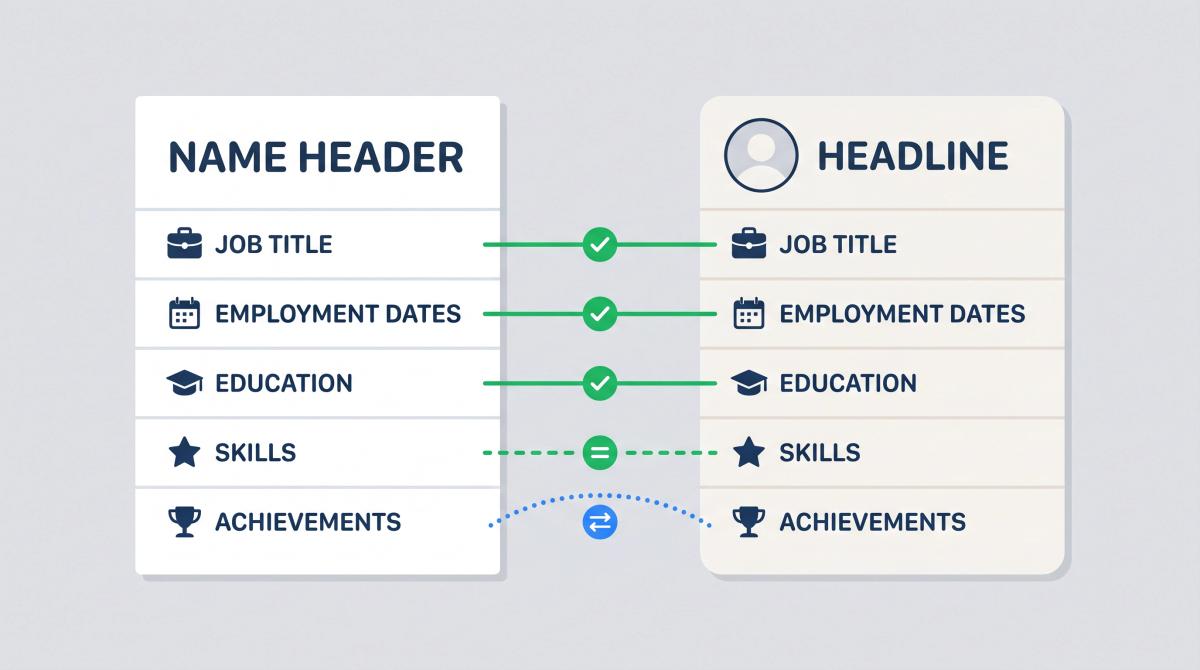
What must match:
| Element | Must match? | Why |
|---|---|---|
| Job titles | Yes | Conflicting titles look suspicious |
| Company names | Yes | Recruiters may verify them |
| Employment dates | Yes, or very close | Major gaps or mismatches create doubt |
| Education | Yes | Inconsistent degrees or dates look bad |
| Core skills | Mostly | Your brand should feel coherent |
| Achievements | Not exactly | Resume highlights only the most relevant wins |
| Tone | Mostly | Both should feel like the same professional |
A good example of the right level of difference:
Resume bullet:
| Increased inbound demo requests by 38% by rebuilding lifecycle email campaigns across HubSpot and Salesforce. |
LinkedIn version:
| Led lifecycle marketing campaigns across HubSpot and Salesforce, improving demo request volume, lead quality, and sales handoff. |
Same story, different level of specificity. That's fine.
An example that creates a real problem:
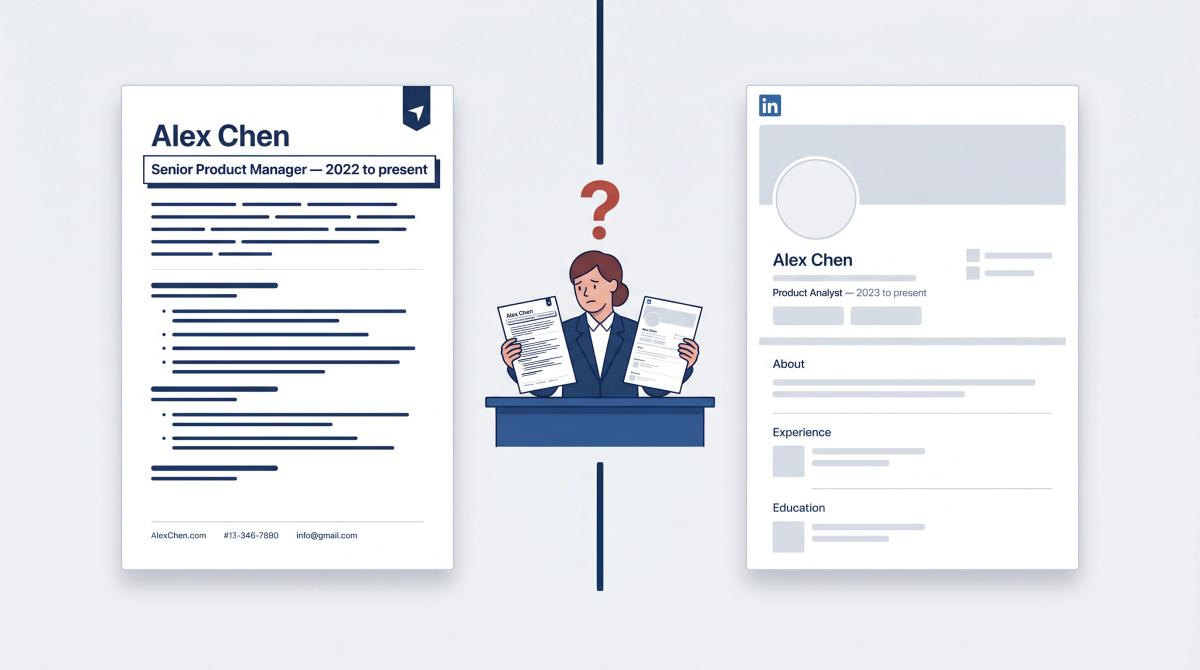
Resume: Senior Product Manager, Fintech Platform, 2022–present
LinkedIn: Product Analyst, Fintech Platform, 2023–present
A recruiter seeing those two descriptions is going to wonder which one is accurate. Once they're wondering, they're less likely to move forward. Recruiters don't need perfect phrasing alignment between the two documents. They do need the factual record to agree. If your LinkedIn still reflects an old narrative, check whether it aligns with your resume's latest framing, especially after a career change.
How to Get Your LinkedIn Profile Ready Before Linking It
Before you add your LinkedIn URL to your resume, run through this checklist. Sending recruiters to an unprepared profile can actively hurt your application.
| LinkedIn Section | What Good Looks Like | Why It Matters |
|---|---|---|
| Profile photo | Clear, recent, professional | Helps trust; keep it simple |
| Headline | Target role + value or specialty | Recruiters see this immediately in searches |
| About section | 4–8 lines summarizing your strengths | Gives context your resume may not |
| Experience | Same jobs, dates, and titles as your resume | Prevents trust issues |
| Skills | Matched to your target roles | Supports skills-based hiring searches |
| Featured section | Portfolio, projects, writing, GitHub, case studies | Evidence your resume can't fully show |
| Licenses/certifications | Relevant and current | Supports your qualifications |
| Recommendations | Specific, credible comments from real people | Adds social proof |
| Activity | Professional enough not to distract | Avoids unnecessary risk |
You don't need a perfect profile. You need a profile that makes the recruiter more confident after clicking than before.
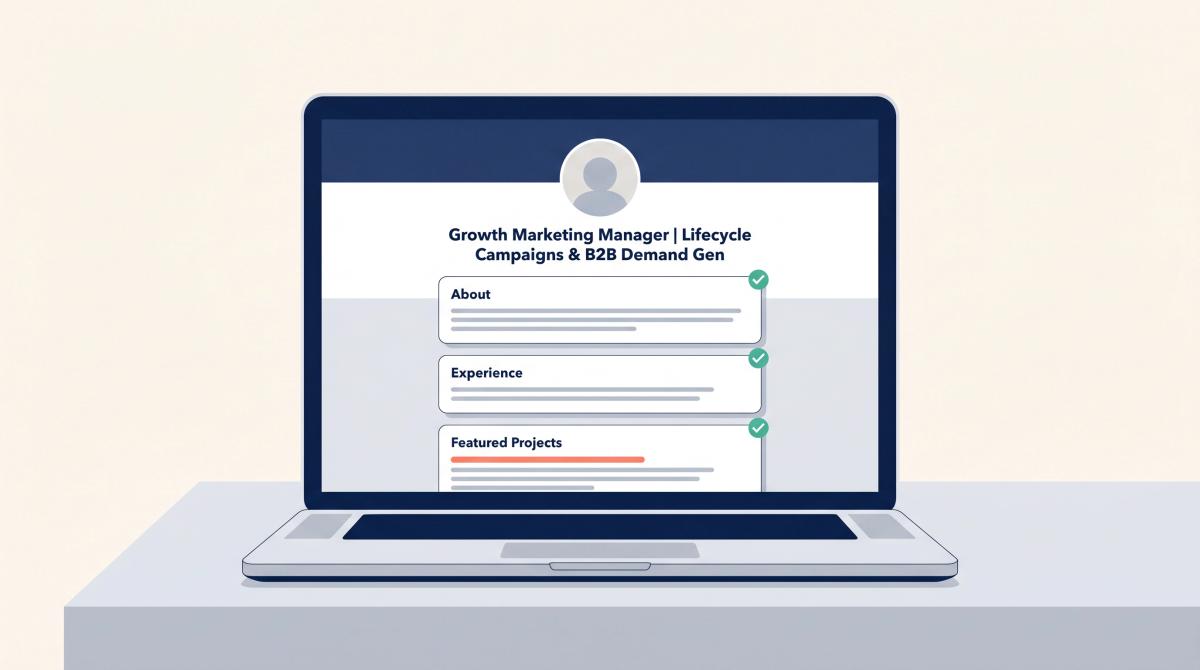
On LinkedIn headlines: your headline shouldn't just be your current job title, especially if that title is vague. A few examples of the difference:
Weak: Student Better: Computer Science Student | Python, SQL, and Machine Learning Projects
Weak: Marketing Manager Better: Growth Marketing Manager | Lifecycle Campaigns, Paid Social, and B2B Demand Gen
Weak: Open to Work Better: Operations Analyst | Process Improvement, Reporting, and Supply Chain Coordination
The first principle: recruiters search by role, skill, and domain. Your headline should give those signals quickly, because it's also the first thing someone reads when they click through from your resume. For a full library of proven formats, see our guide to LinkedIn headline examples for job seekers.
The LinkedIn-to-resume shortcut: if you've already built a strong LinkedIn profile and need to create a polished resume from it, our LinkedIn to Resume Builder imports your profile and generates a professionally formatted, ATS-optimized resume, without requiring your LinkedIn password. It works from your public profile data, and every section is fully editable afterward. This is especially useful if your LinkedIn is more complete than your current resume draft.
When Does LinkedIn Actually Help Your Resume?
LinkedIn isn't equally valuable for everyone. These are the situations where it makes the biggest difference.
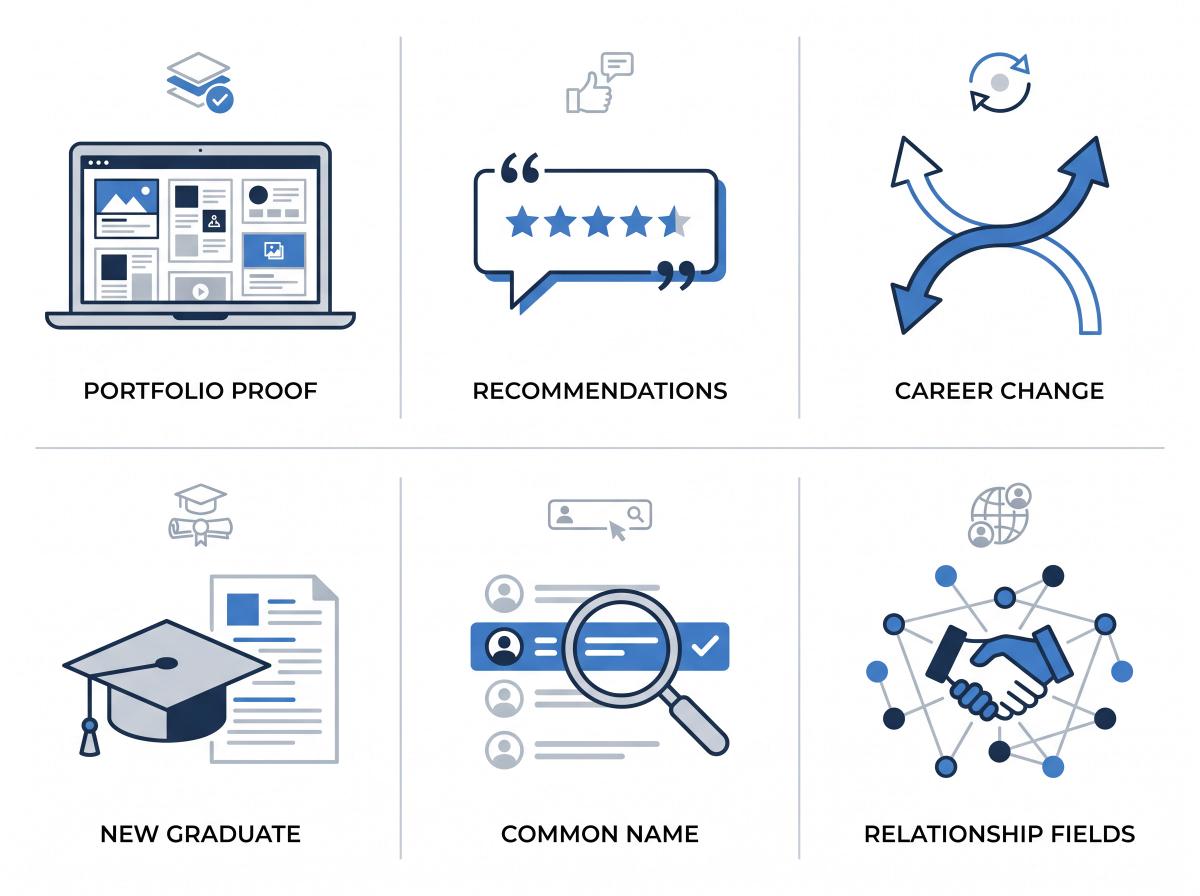
When You Have a Portfolio or Work Samples
Designers, writers, marketers, engineers, product managers, consultants, analysts, and students can all use LinkedIn's Featured section to link to projects, portfolios, case studies, GitHub repositories, articles, decks, or certifications. Your resume might say you built something. LinkedIn can show it. That's a different category of evidence entirely. Learning how to create a professional portfolio gives you exactly the kind of content worth featuring.
When You Have LinkedIn Recommendations
Recommendations aren't magic, but they create social proof in a form recruiters trust. A short, specific recommendation from a past manager, client, professor, or teammate supports your claims in a way that another generic bullet point cannot. Two or three credible recommendations on a profile make a real difference.
When You're Making a Career Change
When you're pivoting, your resume has to be tightly targeted. LinkedIn can explain the bigger transition: courses completed, side projects, volunteer work, and why your previous experience transfers. It gives you room to tell the story your resume doesn't have space for. See how other professionals handle this in our collection of sample resumes for career change.
When You're a Student or New Graduate
Students and recent graduates often struggle because their resume looks thin. LinkedIn can show class projects, internships, student leadership roles, hackathons, research, certifications, and recommendations from professors or internship managers. It gives early-career candidates a way to show substance beyond a one-page resume. Our resume examples library can help early-career candidates build a compelling profile.
When Your Name Is Common or Hard to Search
If your name is common, adding LinkedIn prevents recruiters from accidentally finding the wrong person when they search. Small detail, but it matters in practice.
When Your Field Is Relationship-Driven
Sales, recruiting, marketing, partnerships, customer success, consulting, real estate, finance, media, and leadership roles all benefit from visible professional credibility. In these fields, a polished, well-connected LinkedIn profile often carries weight that a resume alone can't. We explore this further in the career type section below.
When to Leave LinkedIn Off Your Resume
Don't include LinkedIn just because it seems expected. Include it because it improves your application. These are the specific situations where you should either leave it off or fix the profile before adding the link.
Your profile is unfinished. No photo, no headline, missing jobs, a blank About section, and no skills sends a clear signal to a recruiter: careless. If that's the impression your profile creates, it's not helping you. Fix it first.
Your profile is outdated. If your resume says you're a data analyst but LinkedIn still shows you looking for retail work from three years ago, you've created a contradiction. Recruiters see it immediately and many will move on rather than try to reconcile the two versions.
Your profile contradicts your resume. This is the most damaging scenario. Job titles, dates, and company names should agree. If they don't, one version looks inflated or inaccurate. Open both in separate windows and compare them line by line before adding the link to any resume. This matters especially when you're juggling multiple tailored resume versions.
On contradictions specifically: a recruiter who sees Senior Product Manager on your resume and Product Analyst on LinkedIn won't ask for clarification. They'll move on. The inconsistency isn't just confusing. It makes one version look fabricated.
Your profile isn't public enough. LinkedIn's help page on public profile visibility explains that users can toggle their public profile off or restrict specific sections. If your profile is heavily locked down, a recruiter who clicks your resume link may see almost nothing. Check your settings before you add the link: the sections that matter (headline, experience, skills) need to be visible to people outside your network.
Your activity is working against you. You don't need to post on LinkedIn constantly. Honestly, most people shouldn't. A clean, professional, quiet profile beats a loud profile full of low-quality content, anything politically inflammatory, or posts that distract from your professional narrative. Before adding LinkedIn to a resume, scroll through your recent activity. Hide or remove anything that wouldn't survive recruiter scrutiny.
You're job hunting quietly. If you're searching while currently employed, be thoughtful about public signals. We'll cover this in more detail in the privacy section below.
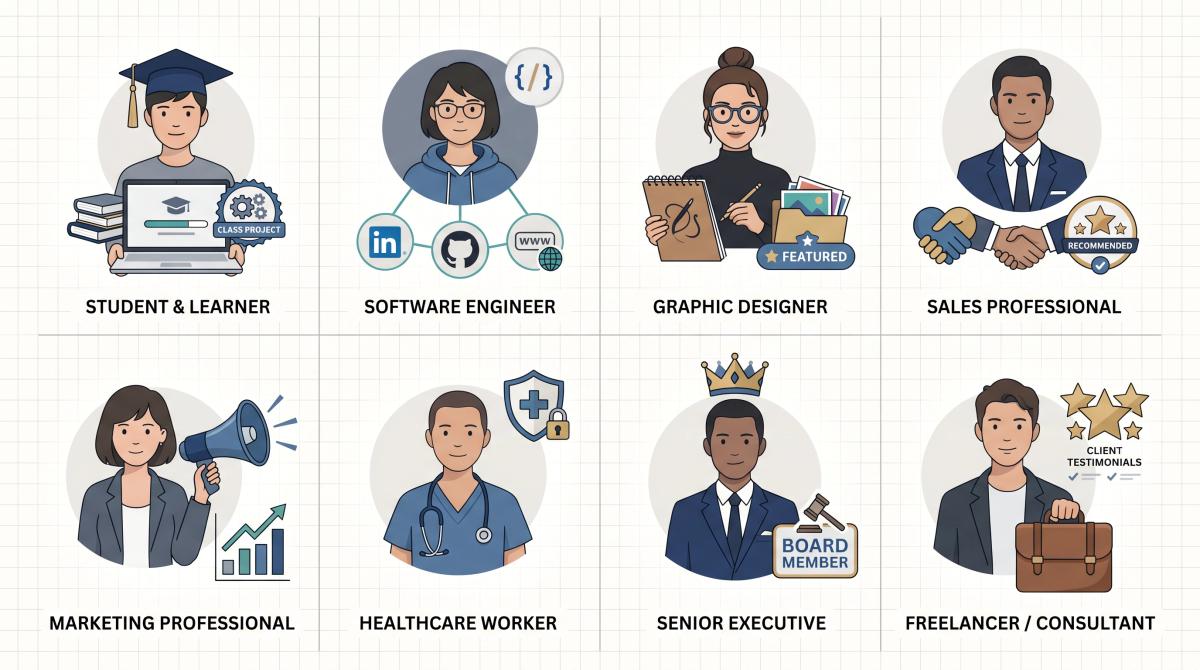
LinkedIn on a Resume by Career Type and Industry
Different career situations call for slightly different LinkedIn strategies. Here's what actually works for each type.
LinkedIn on a Resume for Students and Recent Graduates
Include LinkedIn if your profile shows any professional activity: class projects, internships, student leadership, hackathons, research, volunteering, certifications, or recommendations from professors or internship managers.
Don't worry if you haven't posted much. Posting is optional. Completeness matters far more than content activity.
Strong student headline examples:
| Finance Student | Excel, Valuation, and Investment Research Projects Computer Science Graduate | Python, React, SQL, and Cloud Projects Marketing Student | Social Media Strategy, Analytics, and Brand Campaigns |
A note for students: we offer a 40% discount on all premium AIApply features with a valid student email. Worth knowing if you're building your first professional resume alongside your LinkedIn profile. For first-time resume writers, our guide to resume summary examples for students is a good companion.
LinkedIn on a Resume for Software Engineers
Include LinkedIn, and also include GitHub or a portfolio if you have one. The combination tells the full story: LinkedIn explains your professional trajectory and team context, GitHub or a portfolio proves the technical work.
Best header format:
| linkedin.com/in/your-name | github.com/your-name | yourname.dev |
If your GitHub has incomplete or embarrassing repositories, clean them up before linking. A messy GitHub is worse than no GitHub at all. For specific guidance, see the Golang developer career path or Python Django developer resume example to understand what hiring teams in your space actually want to see.
LinkedIn on a Resume for Designers and Creatives
Include LinkedIn, but your portfolio carries more weight than the profile. Put both. Make sure your LinkedIn Featured section points to case studies and finished work, not just job titles.
| linkedin.com/in/your-name | yourname.design |
Recruiters hiring designers expect to see the work. LinkedIn explains the professional story; the portfolio proves the quality. Our guide on how to create a professional portfolio walks through the full setup.
LinkedIn for Sales and Business Development Roles
Include LinkedIn. These fields are relationship-heavy, and a credible profile with real recommendations can be as persuasive as any resume bullet. Add specific proof where you can: quota attainment, territory size, deal sizes, industries served, CRM tools, and recommendations from clients or managers. See the sales executive career path guide and customer service manager resume example for role-specific best practices.
LinkedIn on a Resume for Marketing Professionals
Include LinkedIn, especially if you have campaign results, writing samples, press mentions, certifications (Google Analytics, HubSpot, and similar), or a portfolio of past work. LinkedIn's Featured section is particularly useful here. Link to the campaigns that performed. The performance marketing manager career path guide outlines what marketing recruiters specifically look for on LinkedIn and resume alike.
LinkedIn for Healthcare, Education, and Government Fields
Include LinkedIn if your profile is professional and role-aligned. Be careful about confidentiality: never include patient details, student information, internal documents, or anything restricted in your professional context. The rules that govern your work apply to what you share online.
LinkedIn on a Resume for Executives and Senior Leaders
Include LinkedIn. For senior roles, LinkedIn often functions as a public credibility layer that backs up the authority your resume claims. Make sure your profile matches your executive narrative: scope of leadership, board involvement, revenue or organizational scale, transformation work, public speaking, and media mentions.
Recruiters and board members evaluating senior candidates will review LinkedIn carefully. Treat it as a public version of your executive bio, not an afterthought. For finance leaders, the finance business partner resume example shows how to align your LinkedIn framing with your resume's narrative at the senior level.
LinkedIn on a Resume for Freelancers and Consultants
Include LinkedIn and a portfolio website or company page. LinkedIn recommendations are especially valuable for freelancers because they function as client testimonials in a context recruiters trust. A profile with several specific, substantive recommendations from past clients tells a story that no bullet point can replicate.
How to Add LinkedIn to Your Resume: Step by Step
Once your profile is ready, here's the complete workflow:
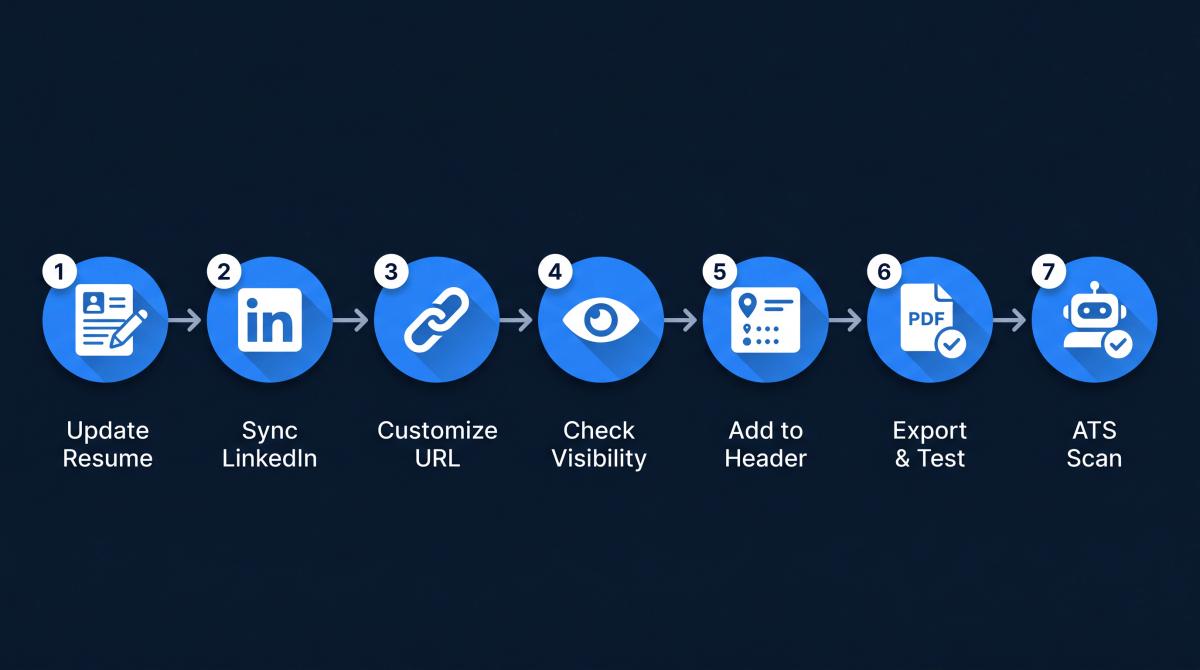
Step 1: Update your resume first.
Your resume should lead the story. Decide which roles you're targeting, then make sure your resume is focused on those roles specifically. If you're applying to different job types, consider creating separate resume versions. Our AI Resume Builder makes it straightforward to maintain multiple targeted versions without starting from scratch each time.
Step 2: Update LinkedIn to match the same story.
Match your job titles, dates, companies, education, and core skills. LinkedIn can include more detail than your resume, but it shouldn't tell a different story. If you've recently reframed your experience or added new skills, update LinkedIn to reflect the same shifts.
Step 3: Customize your LinkedIn URL.
Use a clean, professional URL. LinkedIn's guidance recommends using a variation of your name or professional brand, avoiding spaces, symbols, and special characters.
Step 4: Check your public visibility.
Open your profile in a private browser window, or ask someone outside your network to view it. Verify that the sections that matter (headline, experience, skills, Featured, About) are actually visible to people who aren't connected to you. LinkedIn's public profile settings page explains that public profile settings control what people outside LinkedIn or search engines can see, but notes that a more limited preview may appear in some contexts depending on a user's settings.
Step 5: Add the URL to your resume header.
Keep it with your contact information: name, city/region, email, phone, LinkedIn URL. If you have a portfolio or GitHub, add those after LinkedIn.
Step 6: Export and test.
Export your resume as a PDF and click the LinkedIn link. Then copy the visible URL and paste it directly into a browser to confirm it works without the hyperlink. Both should lead to your profile. If either fails, fix the URL before sending the resume to anyone.
Step 7: Scan your resume for ATS issues.
Before submitting to any employer, run your resume through an ATS checker. AIApply's free ATS resume checker gives you an ATS compatibility score, keyword gap analysis, and formatting feedback so you can catch issues before they cost you an interview. A clean, ATS-compatible resume combined with a solid LinkedIn profile is the combination that gets past automated filters and earns recruiter attention.
8 LinkedIn Resume Mistakes That Cost You Interviews
Even candidates who know to include LinkedIn often make small mistakes that undermine the impact. These are the eight we see most often.
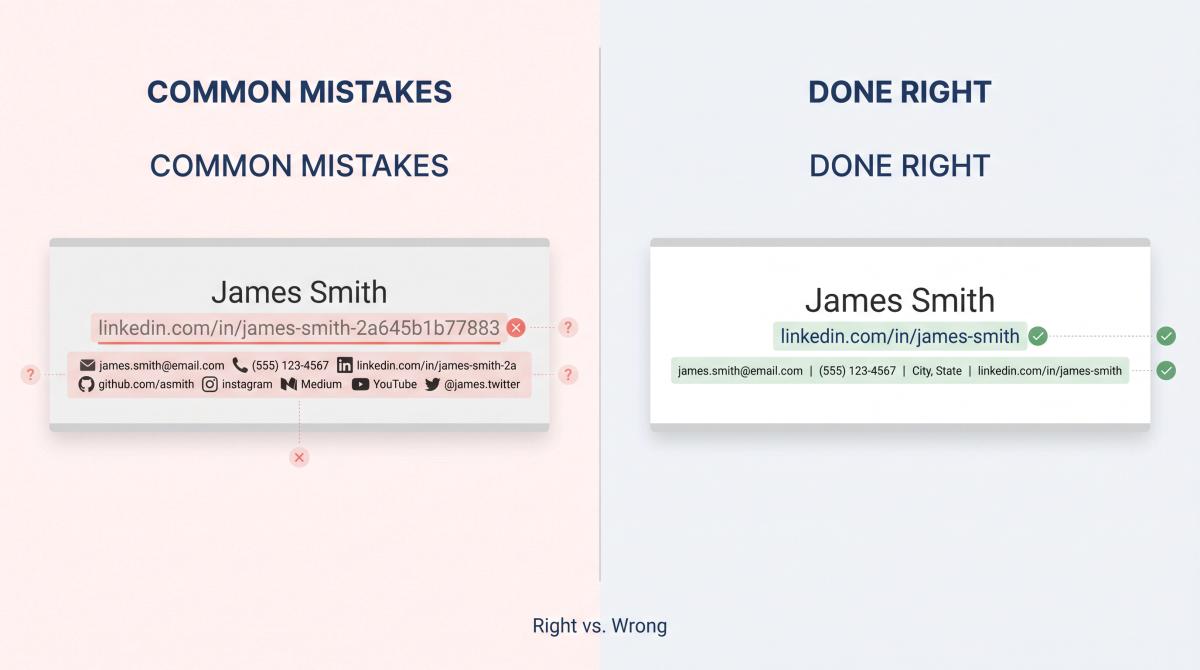
Mistake 1: Adding the link before updating the profile.
Don't send recruiters to a stale profile. Update your headline, About section, experience, skills, and public visibility settings before the link goes on your resume. Every recruiter who clicks through to an empty-looking profile is a potential interview you didn't get.
Mistake 2: Using the default URL.
The random alphanumeric string LinkedIn assigns by default looks unprofessional. Customize it before you add it anywhere.
| Version | Example |
|---|---|
| Bad | linkedin.com/in/james-smith-2a645b1b77883 |
| Better | linkedin.com/in/james-smith |
Mistake 3: Hiding the URL behind text only.
Writing the word "LinkedIn" with a hyperlink behind it is not enough. If the hyperlink breaks or the resume is printed, there's nothing useful left. Always display the actual URL text. This is a common pattern we document in our list of bad resume examples, small formatting oversights that cost candidates interviews.
Mistake 4: Letting LinkedIn and your resume disagree.
If your dates, titles, or employers conflict, recruiters may assume one version is inaccurate or inflated. Check alignment before every application, especially if you've been customizing different resume versions.
Mistake 5: Putting LinkedIn in the wrong place.
LinkedIn belongs in the header with your contact information. Don't bury it at the bottom of the page or in a sidebar. That's where nobody looks until after they've already decided whether to keep reading.
Mistake 6: Overloading the header with links.
Your header shouldn't look like a link farm.
Reasonable:
| email | phone | city | linkedin | portfolio |
Too much:
| email | phone | linkedin | github | medium | x | instagram | facebook | youtube | linktree | substack |
Choose the links that support the specific job you're applying to. A photography Instagram doesn't belong on a financial analyst's resume.
Mistake 7: Including irrelevant social media.
Instagram, TikTok, personal X accounts, and YouTube channels belong on your resume only if they're professionally relevant. For a social media manager or content creator, yes. For most other roles, no.
Mistake 8: Uploading too much personal data to LinkedIn publicly.
LinkedIn lets you upload a resume to your profile, but viewers may be able to download it if you display it publicly. Keep your full home address, private phone number, salary history, and reference contact details off any version of your resume that's publicly accessible. Our AI Resume Checker flags these kinds of formatting and privacy issues automatically.
Should You Upload Your Resume to LinkedIn?
This is a different question from adding your LinkedIn URL to your resume, and the answers are different.
LinkedIn's help page on resume uploads explains that you can upload resumes for job applications through LinkedIn Jobs, save resumes for future use, or display a resume on your profile. LinkedIn stores the four most recently uploaded resumes for reuse. If you upload a resume as media to your profile, viewers can download it directly.
LinkedIn's visibility page also notes that saved resumes may be used to personalize job recommendations, content suggestions, LinkedIn Learning suggestions, and AI-powered features, depending on your settings.
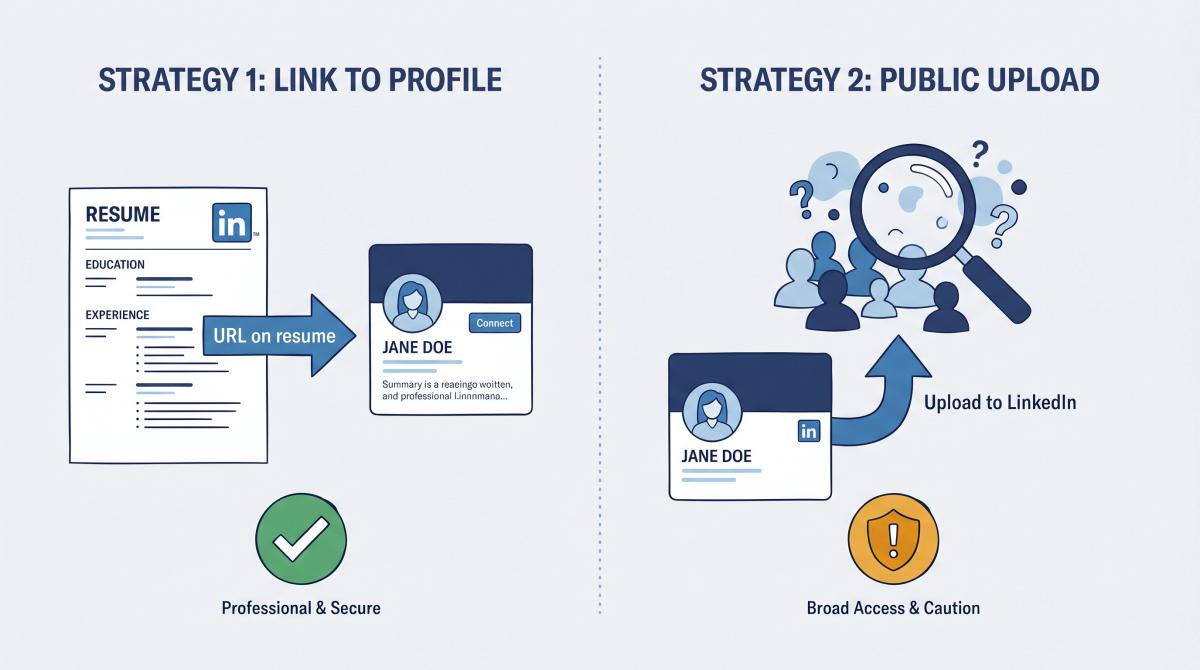
Here's the practical breakdown:
| Action | Good idea? | Why |
|---|---|---|
| Include LinkedIn URL on resume | Yes, usually | Helps recruiters verify you |
| Save resume for LinkedIn job applications | Yes, if you use LinkedIn Jobs | Convenient for applying |
| Upload resume publicly to your LinkedIn profile | Only sometimes | Anyone can download it |
| Upload a resume with your full address or private details | No | Unnecessary privacy risk |
| Use different tailored resumes for different roles | Yes | Stronger, more specific applications |
The key nuance: a resume uploaded publicly to your LinkedIn profile is potentially downloadable by anyone who visits. That's fine if the resume is a generic version. It's a real concern if it contains your full home address, a personal phone number you'd rather keep private, reference contact information, or salary details. If you want to apply through LinkedIn Jobs efficiently, AIApply's Auto Apply submits tailored applications at scale. No need to broadcast a single static resume publicly.
LinkedIn Privacy and Job Search Safety in 2026
Adding LinkedIn to your resume is the right move in most cases. But it's worth being deliberate about privacy while you're at it, because the job search environment in 2026 has some genuine risks worth knowing about.
The LinkedIn 2026 Job Search Safety Pulse found that 90% of reported job scam messages involved trying to move the conversation to private messaging, where LinkedIn's safety tools can't protect users. The same report identified these as the major red flags: early requests for sensitive information, demands for upfront payment, pressure to act quickly, suspicious recruiter profiles, and requests to move off-platform.
The FTC reported that job scam reports tripled from 2020 to 2024, with reported losses jumping from $90 million to $501 million. That's not abstract.
This doesn't mean hiding your LinkedIn. It means being intentional:
- Don't publish your full home address on LinkedIn or on any publicly accessible resume.
- Don't post your full resume publicly if it contains sensitive personal information.
- Verify recruiters before sharing anything beyond what's on your public profile.
- Be suspicious of anyone asking for payment, bank details, identity documents, or off-platform messaging early in the process.
- Keep conversations inside trusted hiring platforms until you've confirmed the employer is legitimate.
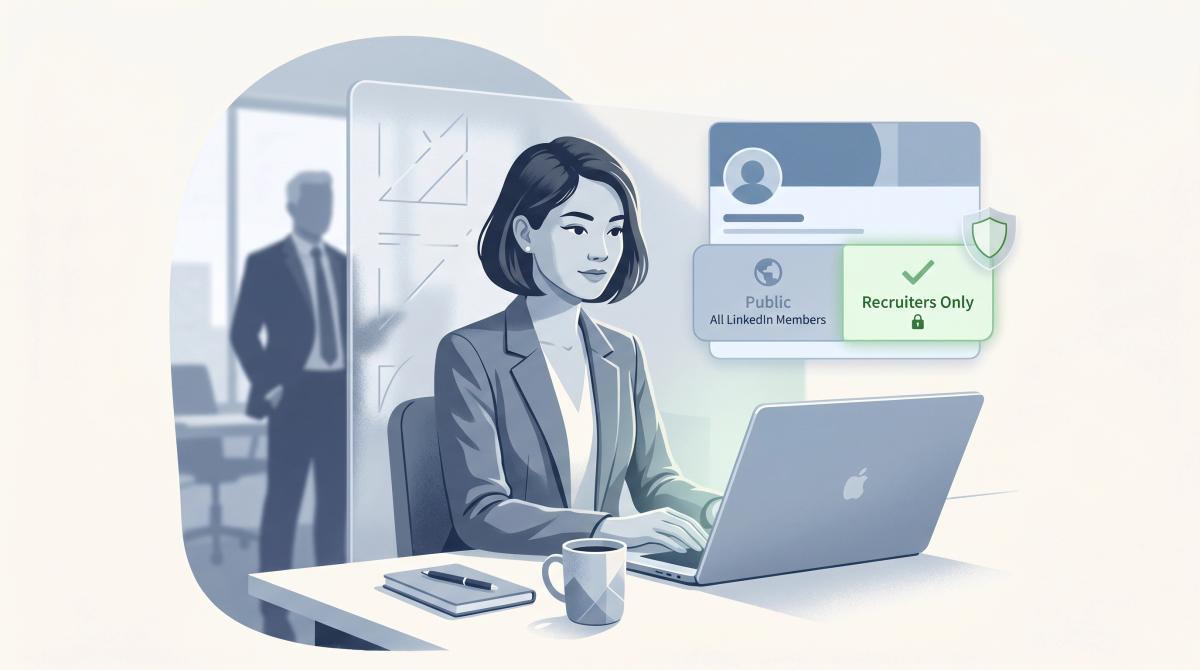
If you're currently employed and job hunting quietly:
You can still include LinkedIn on your resume. Just don't make public changes that signal your search to your current employer or their network. A strong job search strategy accounts for these visibility decisions from the start.
Be careful with:
- The public "Open to Work" photo frame (use recruiter-only visibility instead)
- Posting "I'm looking for a new role" while still employed
- Making major profile changes all at once in a way that notifies your entire network
- Publicly uploading an updated resume to your profile
- Adding your current employer's confidential strategies or internal data to your profile
LinkedIn's guidance on Open to Work visibility explains that recruiter-only visibility is designed to be more private, but LinkedIn cannot guarantee complete privacy from recruiters at your current or related companies. Use that setting if you want the signal without the public banner.
LinkedIn on a Resume Checklist: Before You Apply
Use this before you submit any application:
| [ ] My LinkedIn URL is in the resume header. [ ] The URL is customized and readable (no random number strings). [ ] The visible text works even if the hyperlink breaks. [ ] My LinkedIn profile is public enough for recruiters to see key sections. [ ] My job titles match my resume. [ ] My employment dates match my resume. [ ] My education matches my resume. [ ] My headline supports the roles I'm targeting. [ ] My About section is clear and current. [ ] My Featured or Projects section adds proof beyond my resume. [ ] My skills match my target jobs. [ ] My recent activity is professional and not distracting. [ ] I tested the link after exporting the resume as a PDF. [ ] I scanned the resume for ATS formatting issues. |
Best LinkedIn URL formats to copy:
→ Standard: linkedin.com/in/first-last
→ With middle initial: linkedin.com/in/first-m-last
→ With profession: linkedin.com/in/first-last-data-analyst
→ With credential: linkedin.com/in/first-last-cpa
→ With location (if name is very common): linkedin.com/in/first-last-london
Avoid: linkedin.com/in/first-last-123456789 | linkedin.com/in/coolguy99 | linkedin.com/in/hire-me-now

Once your resume passes this checklist, run it through our free ATS checker to verify that the URL formatting and your overall resume structure pass automated screening.
Should You Include LinkedIn on Your Resume? Our Verdict
Include LinkedIn on your resume when it acts as proof.
A profile that's worth linking tells the recruiter four things:
| Yes, this person is real. Yes, their experience checks out. Yes, their skills match the role. Yes, there's more evidence behind the resume. |
Don't include it just to follow a convention. Include it because it makes your application stronger. And if it doesn't make your application stronger yet, that's actually useful information. It means your LinkedIn profile needs work before it's ready to share.
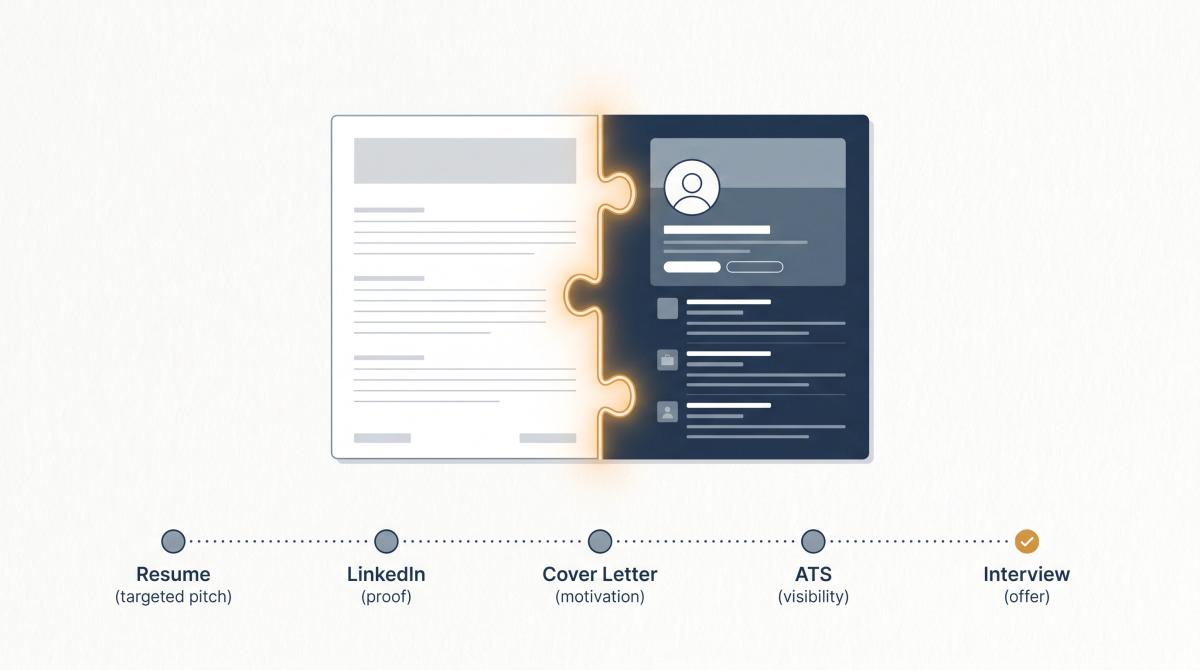
The strongest applications treat LinkedIn and resume as two parts of one connected system:
| Resume = targeted pitch LinkedIn = proof and context Cover letter = motivation and fit ATS scan = visibility through filters Interview prep = conversion to offer |
The bottom line: treat your LinkedIn and resume as one connected system. A well-targeted resume gets the recruiter interested. A well-built LinkedIn profile helps them believe you.
Our AI Resume Builder is built around this workflow. If you want to start from your existing LinkedIn profile, the LinkedIn to Resume feature imports your profile into a polished, ATS-friendly resume, no password required, and every section is fully editable afterward. Once your resume is ready, run it through our free ATS checker to catch formatting and keyword issues before you apply.
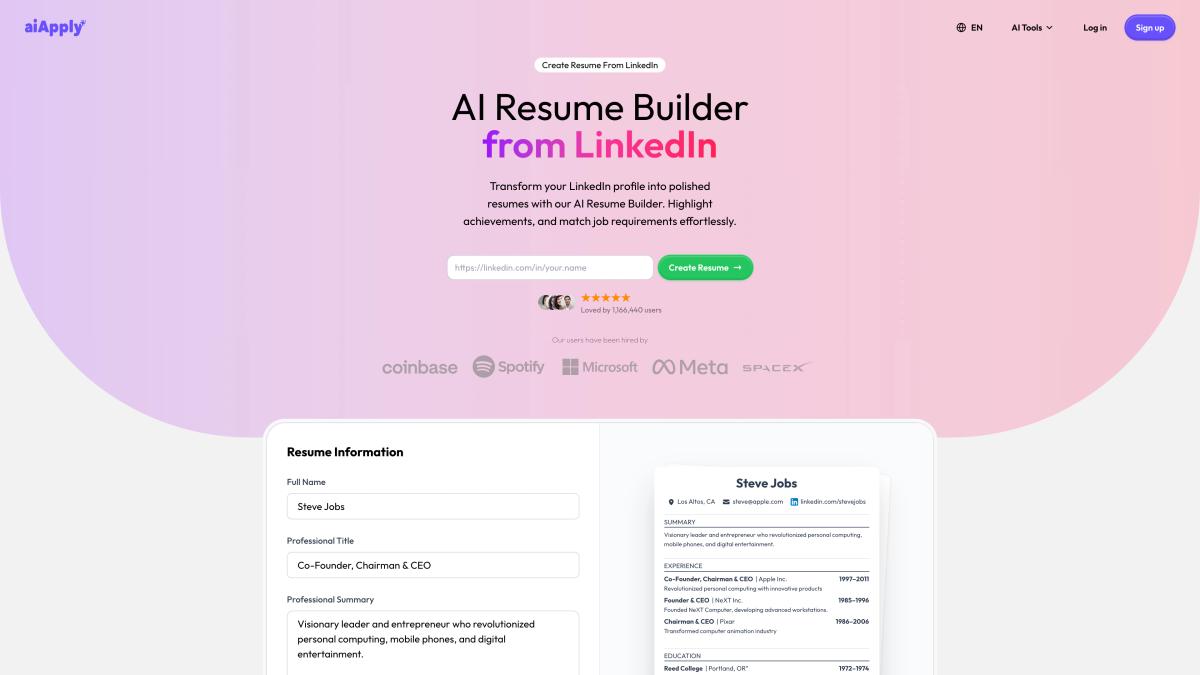
The best final header format for most people:
| Name City, Country | email | phone | linkedin.com/in/your-name |
Then make sure the profile behind that link is actually worth clicking.
LinkedIn on Your Resume: Frequently Asked Questions
Should I put LinkedIn on my resume?
Yes, in most cases. Include it if your profile is current, professional, public enough, and consistent with your resume. Leave it off (or fix it first) if the profile is empty, outdated, heavily restricted, or contradicts what's on your resume. The link should add confidence, not create questions.
Where should LinkedIn go on a resume?
In the header, with your contact information. The best placement is next to your email, phone number, and location. LinkedIn belongs there because it's contact and verification information, not an add-on. Don't bury it at the bottom or in a sidebar.
Should I hyperlink my LinkedIn URL?
Yes, but keep the URL text visible too. Hyperlink the displayed text linkedin.com/in/your-name so it's clickable, but also make sure the actual URL appears in the document. If the hyperlink breaks or the resume is printed, the visible URL still works.
Should I write the full LinkedIn URL with https://www.?
Usually not. The cleaner version without the full protocol prefix looks better on a resume and uses less space. linkedin.com/in/your-name is easier to read than https://www.linkedin.com/in/your-name, and both point to the same place when properly hyperlinked.
Is LinkedIn required on a resume?
No, not required. But in most professional fields, leaving it off when other candidates include it is a missed opportunity, especially when LinkedIn lets you show projects, recommendations, and evidence that doesn't fit on a resume. The only time you'd intentionally leave it off is if the profile would hurt your application or you haven't built one yet.
Can LinkedIn hurt my job application?
Yes. If your LinkedIn profile is outdated, unprofessional, inconsistent with your resume, or set to private, the link invites recruiters to discover those problems. The link on your resume should direct recruiters toward more confidence in you, not less. An empty or contradictory profile is worse than having no link at all.
Should students include LinkedIn on a resume?
Yes, if the profile has useful content: class projects, internships, student leadership, certifications, volunteer work, or recommendations from professors or managers. A student LinkedIn doesn't need to look like a senior professional's profile. It needs to show evidence of engagement and effort. If the profile is genuinely empty, build it out before adding the link. Students can start with our resume for recent grads guide for structure, then add their LinkedIn once it matches that standard.
How do I customize my LinkedIn URL?
Go to your LinkedIn profile on desktop, find "Public profile & URL" in the right sidebar or under your intro, click the edit icon, and change the URL to a clean version of your name. LinkedIn's guidance says URLs can be 3 to 100 characters and shouldn't contain spaces, symbols, or special characters. Use firstname-lastname or add your role if the name is taken: firstname-lastname-engineer.
Should I include LinkedIn if I have a portfolio website?
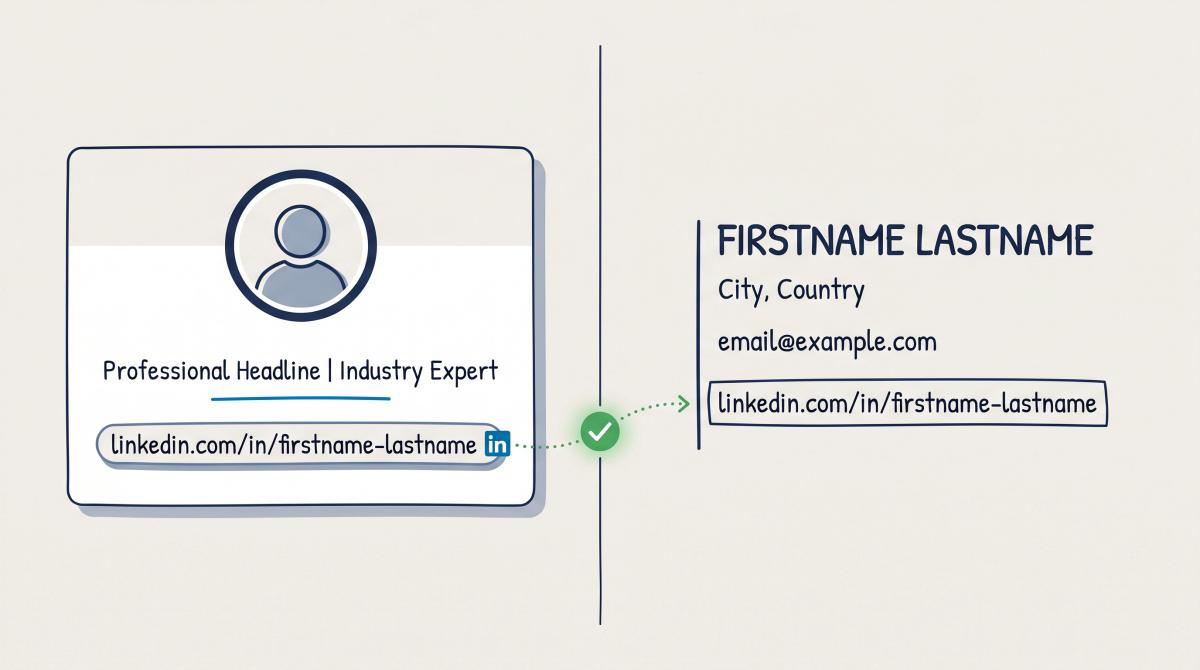
Yes, if both add value, include both. For creative, technical, writing, product, and marketing roles:
- LinkedIn explains your professional identity and career context.
- Your portfolio proves the quality of the work.
They serve different purposes and don't compete with each other.
Should I include LinkedIn if I have GitHub?
For software, data, AI, cybersecurity, and similar technical roles, including both is usually the right call, provided your GitHub is in good shape. If your repositories are incomplete, inactive, or contain embarrassing old code, clean them up first. A messy GitHub is worse than no GitHub. For technical professionals, our how to write a technical resume guide covers exactly how to balance LinkedIn, GitHub, and resume content in your header.
Should I include LinkedIn in my cover letter?
Usually not. Your LinkedIn URL belongs on your resume as contact information. The one exception: if your LinkedIn contains something directly relevant to the specific role, like a portfolio piece in your Featured section, a published article, or a notable project. You could reference it. But this should feel natural, not forced. If you're working on your cover letter at the same time, our AI cover letter generator can help you draft a role-specific letter that complements your resume and LinkedIn profile.
Should I upload my resume to LinkedIn?
Using LinkedIn's resume upload feature for job applications through LinkedIn Jobs is fine and convenient. Displaying your resume publicly on your profile is a different decision. It makes the file downloadable by anyone who visits. Before doing that, remove your full home address, private phone numbers, and any details you'd be uncomfortable with strangers having. Use separate tailored resumes for different types of roles rather than one public version.
What if my LinkedIn and resume are inconsistent?
Fix the inconsistency before adding the link. If your job titles, dates, or employer names don't match, a recruiter will notice. Start with the big three: titles, dates, and company names. Those are the first things recruiters cross-reference, and mismatches in any of them create immediate doubt.
Does it matter if I haven't posted on LinkedIn?
No. A clean, quiet, complete profile is far better than a loud, active profile with low-quality content. Recruiters are mostly using your profile to verify your background, check your headline, read your About section, and see if your experience is consistent with your resume. Most don't expect you to be a LinkedIn content creator. Post if you have something genuinely useful to share. Don't post just to appear active.
Should I include LinkedIn on a CV?
Yes, the same rules apply. In the UK, Europe, India, Australia, and most other markets where "CV" is the primary job application document, include LinkedIn if it's polished and aligned with your application. One note: US-format resumes typically omit personal details like age, marital status, and photos. That convention doesn't apply to LinkedIn, which is a professional profile. Just keep the focus professional and relevant to the role.
Should I include LinkedIn on a one-page resume?
Yes, if there's room in the header. A LinkedIn URL usually takes up less horizontal space than a full street address, and most modern resumes no longer need a complete home address anyway. City and state (or city and country) is enough. A compact header handles this easily:
| Nina Chen | Toronto, ON | nina@email.com | 555-555-5555 | linkedin.com/in/nina-chen |
LinkedIn in the header doesn't add a line. It just replaces space that used to go to a street address.
Should LinkedIn be on every version of my resume?
Usually yes, but your LinkedIn profile should be able to support all the versions you're sending out. If you're applying to both project manager and operations manager roles, your LinkedIn can show a broad operations and project leadership brand that covers both. Where it gets complicated is when you're pursuing two genuinely different paths (say, software engineering and music production). In that case, you may need to adjust your LinkedIn headline and About section so it doesn't confuse whichever recruiter clicks through from a specific resume version.
What should my LinkedIn headline say?
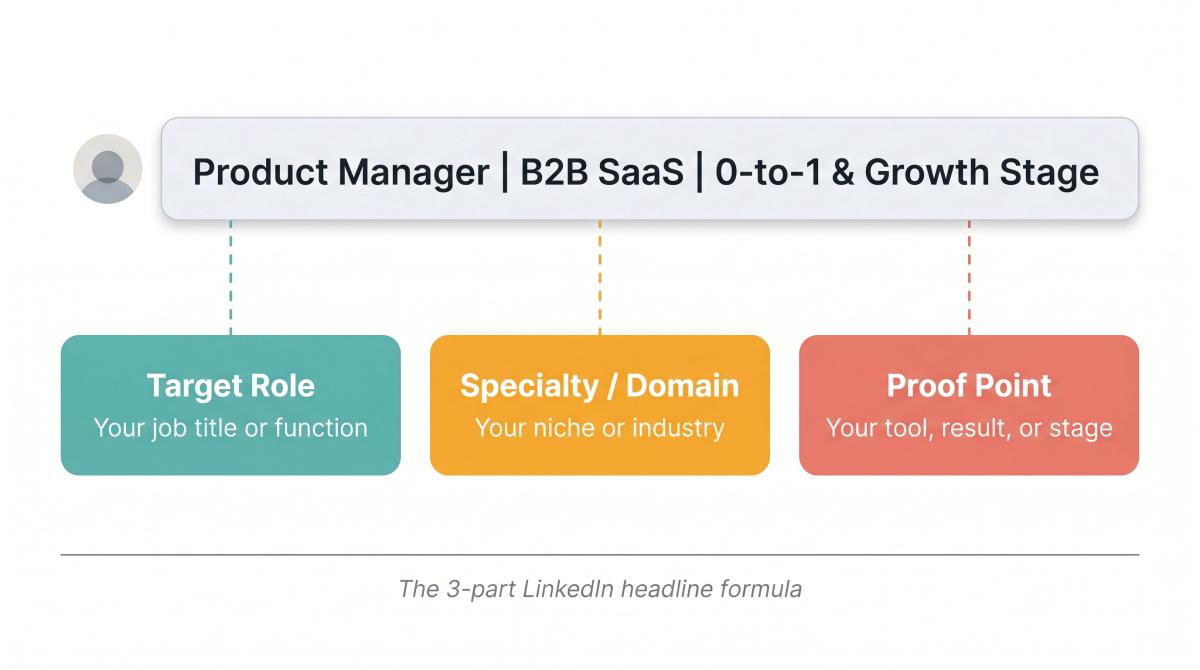
Your headline should convey three things quickly: your target role, your specialty or domain, and ideally a proof point or tool. The formula is [Target Role] + [Specialty/Domain] + [Proof]. Examples: Product Manager | B2B SaaS | 0-to-1 and Growth Stage or Data Analyst | SQL, Python, Tableau | Finance and E-commerce. Our LinkedIn headline examples guide has 200+ proven formulas and templates if you want to see what works before committing to one.