200+ LinkedIn Headline Examples for Job Seekers (2026)
Get found by recruiters with the right LinkedIn headline. 200+ copy-paste examples, proven formulas, and free tools to optimize your job search.


Your LinkedIn headline isn't just a tagline. It's both your search optimization field and your first impression, all rolled into 220 characters. Get it right, and recruiters find you. Get it wrong, and you're invisible.
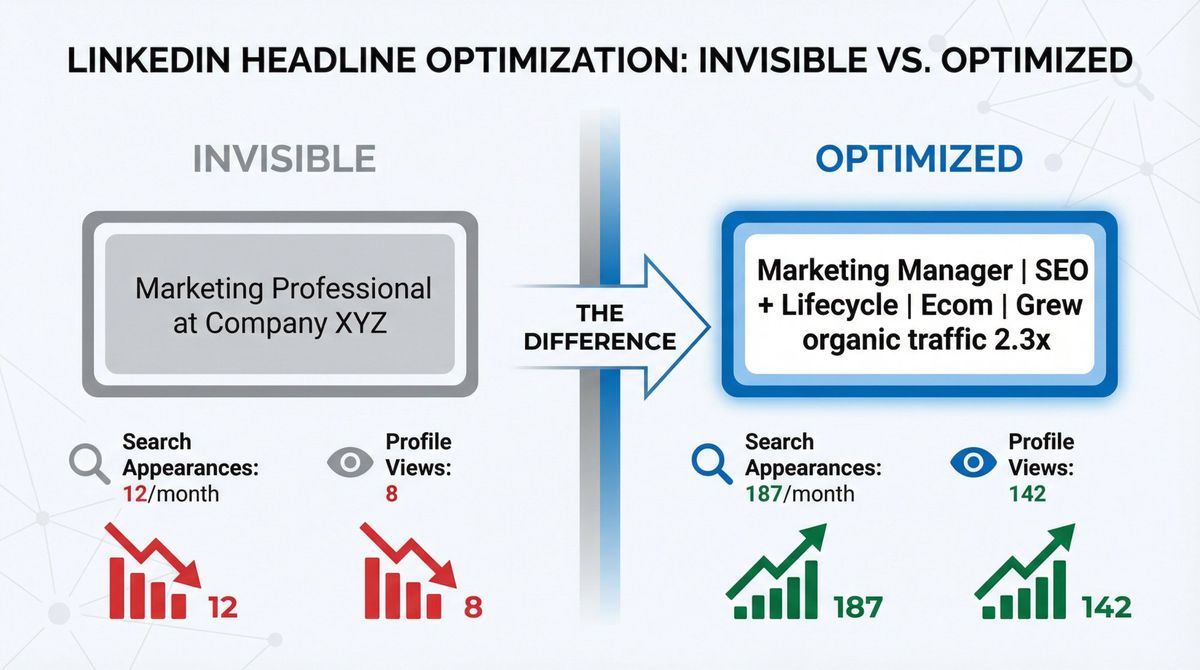
We're not here to give you generic advice about "being authentic" or "showcasing your passion." We're here to show you exactly how to build a headline that gets clicks and lands interviews. Plus, we'll give you 200+ copy-paste examples you can steal and customize right now.
Why Your LinkedIn Headline Matters for Job Searching
When you're job searching on LinkedIn, you're solving two problems simultaneously:
Problem 1: Getting found in recruiter searches
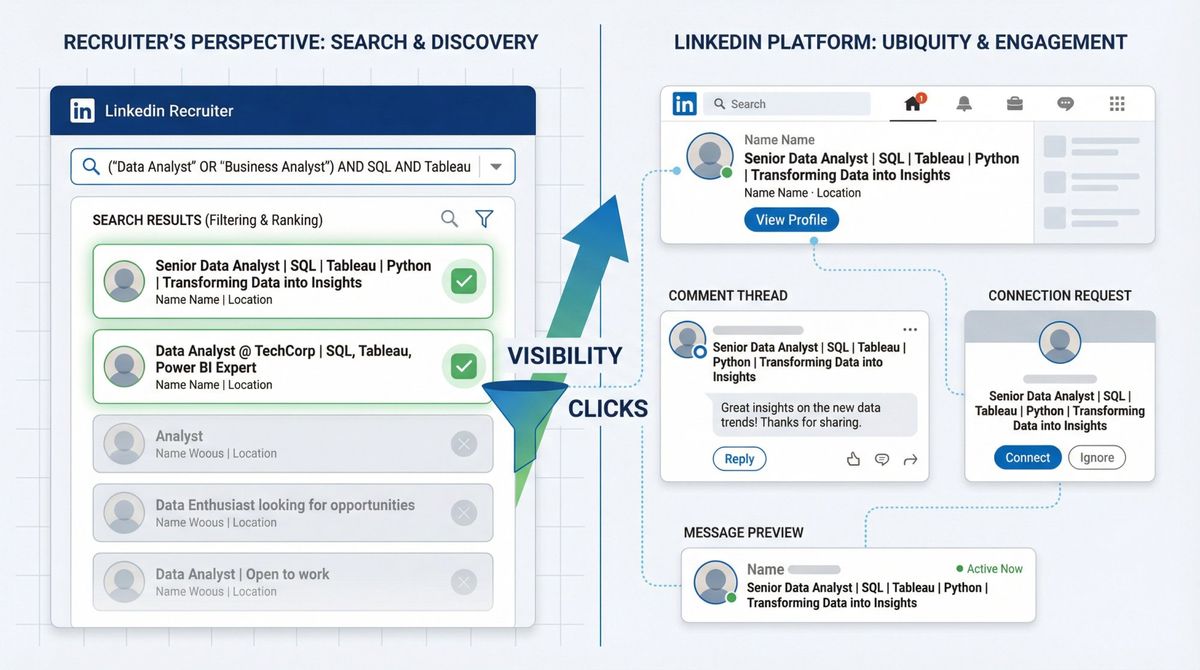
Recruiters don't browse LinkedIn like you scroll Instagram. They search using Boolean logic (AND, OR, NOT, quotes, parentheses). LinkedIn's Recruiter documentation explicitly explains how they use these advanced search operators to find candidates.
Your headline is one of the most heavily weighted fields in LinkedIn's search algorithm. Pack it with the right keywords, and you show up. Leave it generic, and you don't exist.
Problem 2: Getting clicked when you DO appear in searches
Showing up in search results means nothing if recruiters scroll past you. Your headline appears everywhere on LinkedIn (search results, connection requests, comments, messages), and it's often the only thing a recruiter sees before deciding whether to click your profile.
According to LinkedIn's own guidance, your headline is your "personal ad" that shows up across the entire platform. It's not just on your profile page.
The reality: 95% of recruiters use LinkedIn regularly to find talent, and six people get hired via LinkedIn every minute. Your headline is your ticket into that pipeline.
At AIApply, we've helped over 800,000 job seekers optimize their LinkedIn presence as part of our full-stack job search platform. We've seen what works and what doesn't, and we're about to show you the exact formulas that land interviews.
What Is the Best LinkedIn Headline Formula?
Stop overthinking it. Here's the formula:
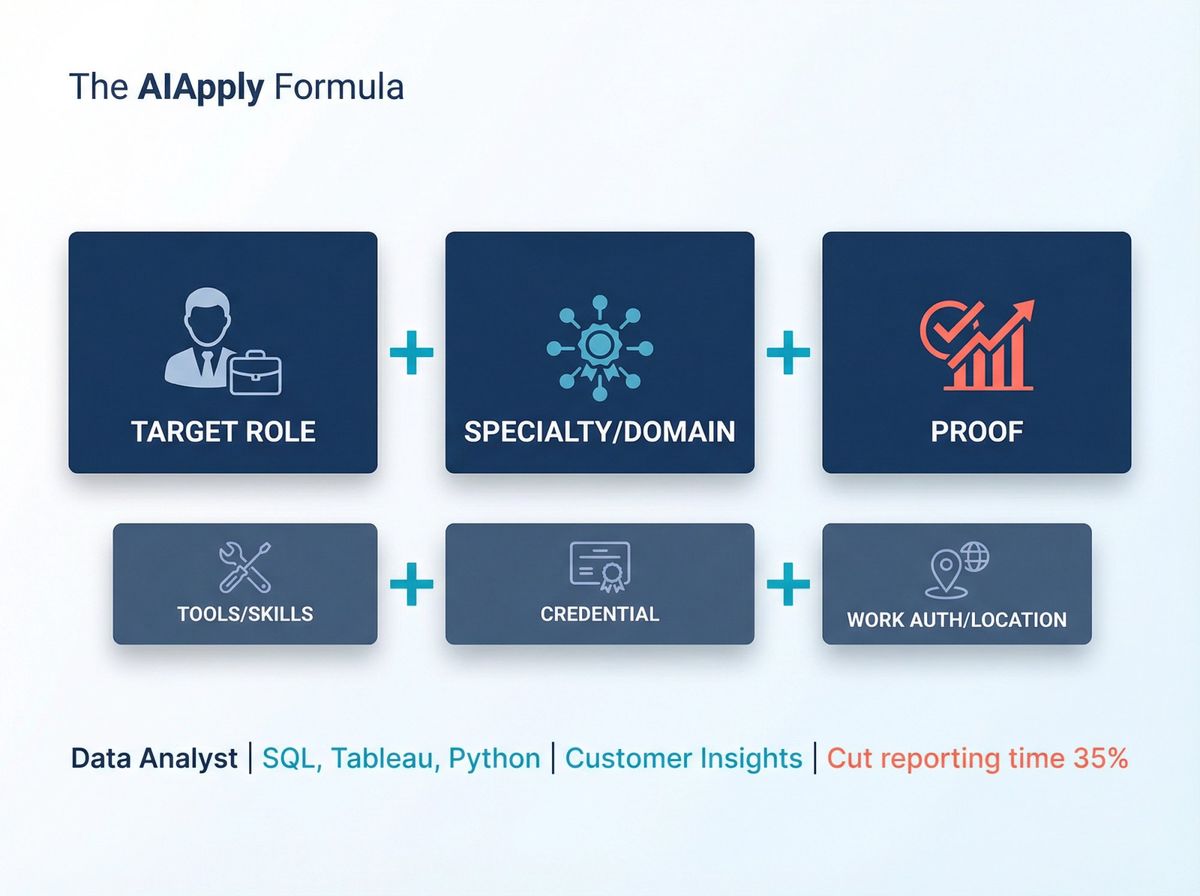
[Target Role] + [Specialty/Domain] + [Proof]
Then add one or more of these if relevant:
• [Tools/Skills] (especially if they're highly searchable)
• [Credential] (CPA, AWS, PMP, etc.)
• [Work authorization/location] (Remote, Hybrid, Visa-sponsored)
Why this works:
Recruiters filter by job title and skills using Boolean search logic. They're literally typing "Data Analyst AND SQL AND Tableau" into LinkedIn Recruiter. If those exact words aren't in your headline, you don't show up.
Humans decide in seconds whether you're worth clicking. Immediate clarity plus credible proof equals clicks.
How to Write a LinkedIn Headline in 10 Minutes
Step 1: Pick ONE target role
Don't try to be "Marketing Manager | Sales Leader | Customer Success Specialist" all at once. Pick your primary target role. You can still pivot, but your headline needs a clear answer to: "What do you do?"
Step 2: Steal keywords from the market (not your brain)
This is where most people fail. They guess at what sounds good instead of using the exact words employers search for.
Here's what to do:
Grab 5-10 job descriptions for your target role and highlight repeated:
- Job titles and synonyms
- Tools and tech stacks
- Certifications
- Domain terms (FinTech, EHR, SOC2, B2B SaaS, etc.)
- Outcomes (revenue growth, cost reduction, uptime, churn)
LinkedIn's own guidance recommends scanning job postings for repeated skills and using that exact wording across your profile, especially in your headline.
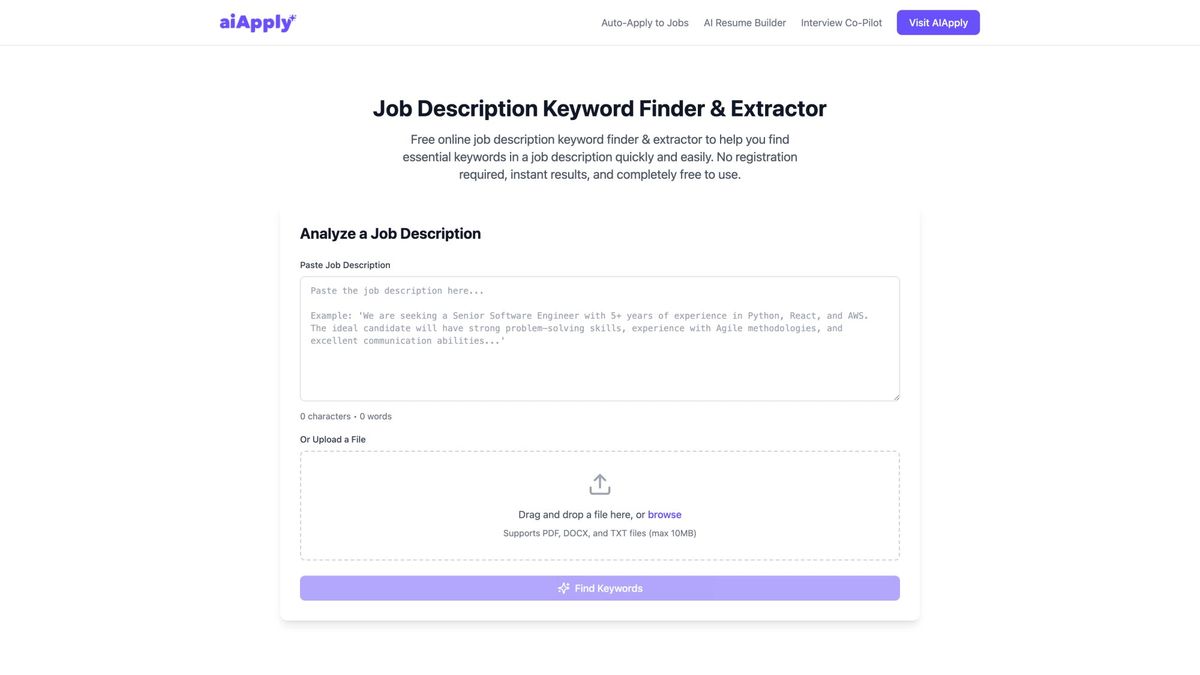
Fast option: We built AIApply's Job Description Keyword Finder specifically for this. Paste any job posting, and it extracts the hard skills, tools, and certifications recruiters are actually searching for. It's free.
Step 3: Choose your headline "shape"
Pick the structure that matches your situation:
Option A: Role + Skills + Tools (most common, best for active job seekers)
Example: Data Analyst | SQL, Tableau, Python | Customer Insights
Option B: Role + Niche/Domain + Proof (best for experienced professionals)
Example: Product Manager | B2B SaaS | Shipped 0→1 Features
Option C: Aspiring/Transitioning + Role + Transferable Proof (best for career changers)
Example: Transitioning to Data Analyst | Former Operations Manager | Excel, SQL, Process Metrics
Option D: Student/New Grad + Role Target + Projects/Tools (best for early career)
Example: Computer Science Student | Seeking Software Engineer Internship | Python, Java, React
Step 4: Add proof that's believable
Proof converts "maybe" into "click." Good proof includes:
| Type of Proof | Examples |
|---|---|
| Metrics | Reduced cycle time 30%, increased pipeline $1.2M |
| Scope signals | Served 200+ clients, led 8-person team |
| Credentials | CPA, RN, AWS-SAA, PMP, CISSP |
| Brand anchors | ex-Google, ex-McKinsey (only if it helps) |
Step 5: Make it skimmable
Use separators like | or • to create visual breaks. Compare these:
❌ Bad: Data Analyst with expertise in SQL Tableau Python and customer insights who reduced reporting time 35%
✓ Good: Data Analyst | SQL, Tableau, Python | Customer Insights | Cut reporting time 35%
The second one is infinitely easier to scan.
Step 6: Validate with LinkedIn analytics
LinkedIn shows you "Search Appearances" in your profile analytics. This tells you how many people found you via search and what job titles you were found for.
Use this data to A/B test your headline. Change it, wait two weeks, check if your search appearances increased. Iterate.
9 LinkedIn Headline Mistakes That Kill Your Visibility
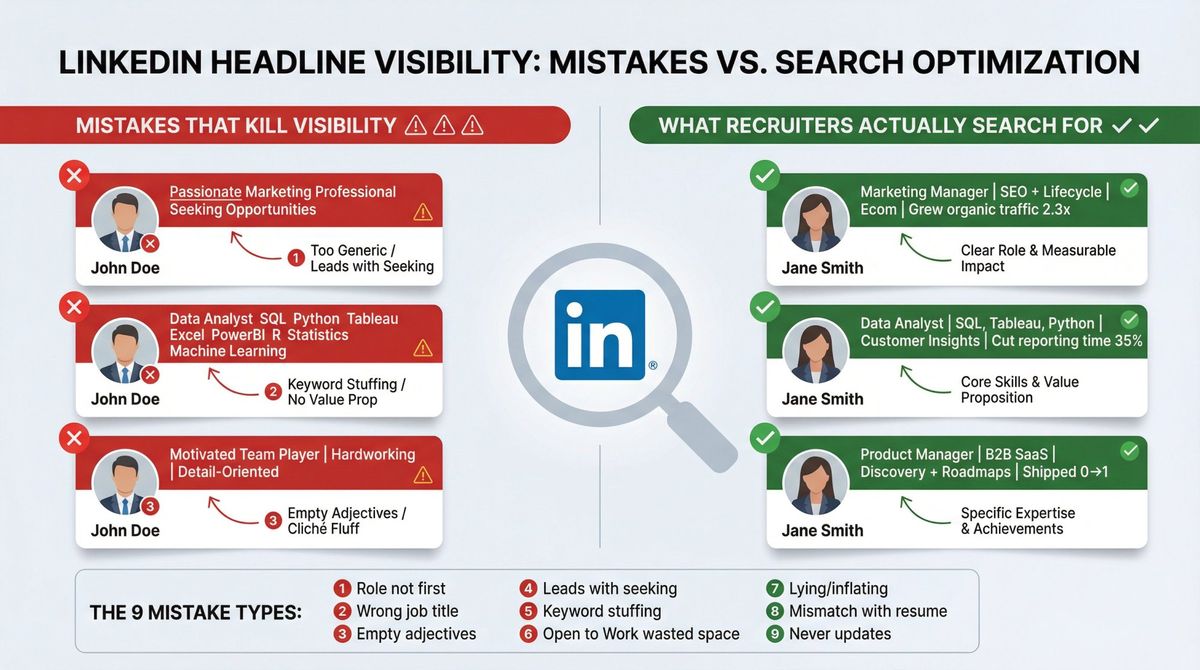
① Put your target role first. It's the primary search term recruiters use.
② Use exact job title spellings from postings. If they search "Account Executive" and you wrote "Sales Professional," you won't appear.
③ Avoid empty adjectives. "Hardworking," "passionate," "motivated" mean nothing without proof.
④ Don't lead with "seeking opportunities." It's low-information filler. Use LinkedIn's "Open to Work" feature instead.
⑤ Don't keyword-stuff. You're writing for humans and algorithms. "Data Analyst SQL Python Tableau Excel PowerBI R Statistics" is unreadable.
⑥ Keep "Open to Work" strategic. LinkedIn has a dedicated badge for this (28 million people use it). Don't waste your headline space announcing unemployment.
⑦ Don't lie. Recruiters cross-check everything. Inflating your scope or results will backfire in interviews.
⑧ Match your headline to your résumé. If your headline says "Data Analyst" but your résumé screams "Operations Manager," recruiters get confused and move on.
⑨ Update monthly during active searches. Market keywords shift. Your headline should too.
15 LinkedIn Headline Templates You Can Copy
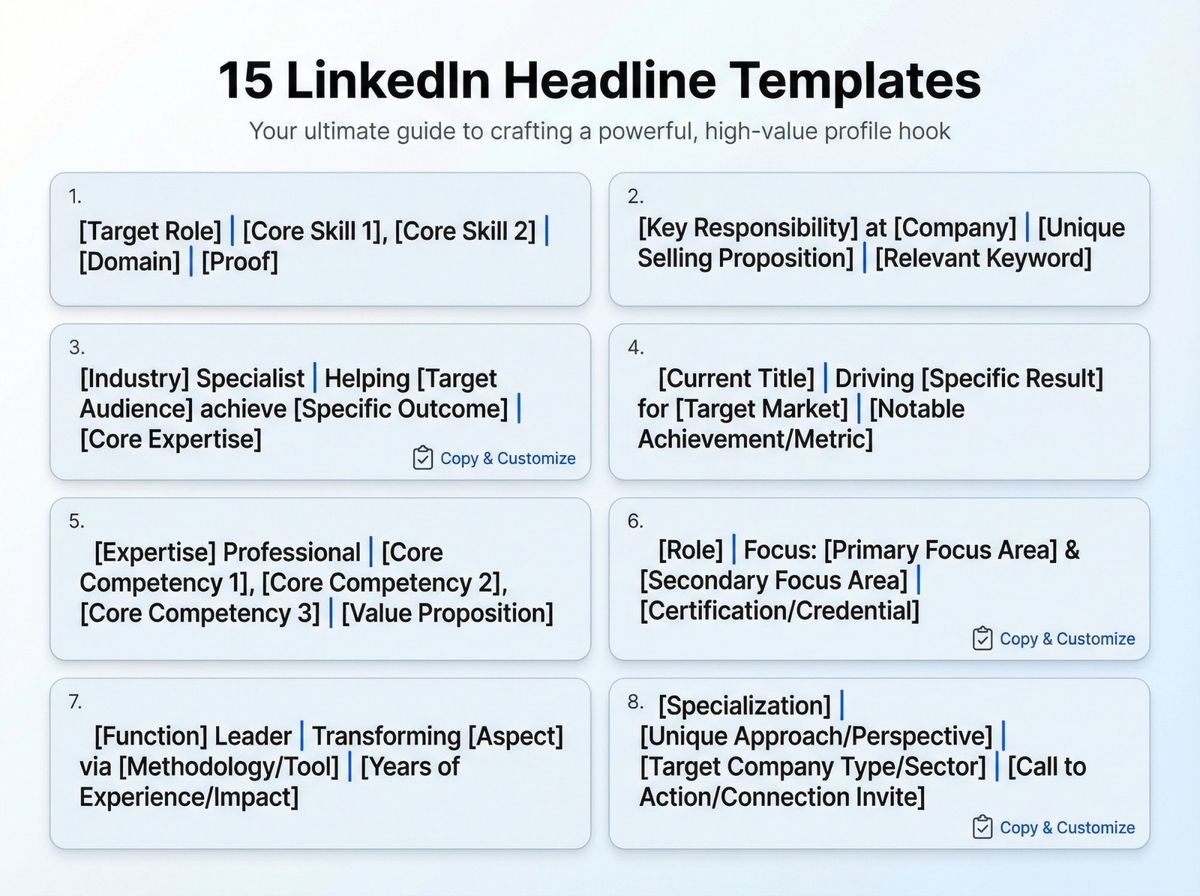
- [Target Role] | [Core Skill 1], [Core Skill 2] | [Domain] | [Proof]
- [Target Role] | [Tool/Platform] | [Outcome you deliver] | [Proof]
- [Target Role] (Open to Remote/Hybrid) | [Specialty] | [Tool Stack]
- [Target Role] | [Certification] | [Specialty] | [Proof]
- [Target Role] | ex-[Company/Industry] | [Specialty] | [Proof]
- [Target Role] | [Industry] | [Problem you solve] | [Proof]
- [Target Role] | [Process/Method] (Agile, ITIL, GA4) | [Proof]
- [Target Role] | [Languages] | [Region/Market] | [Proof]
- [Target Role] | [Customer Segment] (B2B SaaS, SMB, Enterprise) | [Proof]
- [Target Role] | [Security/Compliance] (SOC2, ISO, HIPAA) | [Proof]
- [Target Role] | [Product Area] (Payments, Search, Growth) | [Proof]
- [Target Role] | [Specialty] | Portfolio/Case studies available
- [Target Role] | [Tool] | [Tool] | [Tool] (Keep it readable)
- Transitioning to [Target Role] | Former [Past Role] | [Transferable Skill] | [Proof]
- [Student/New Grad] | Targeting [Role] | [Projects/Tools] | [Internship/Proof]
200+ LinkedIn Headline Examples for Job Seekers
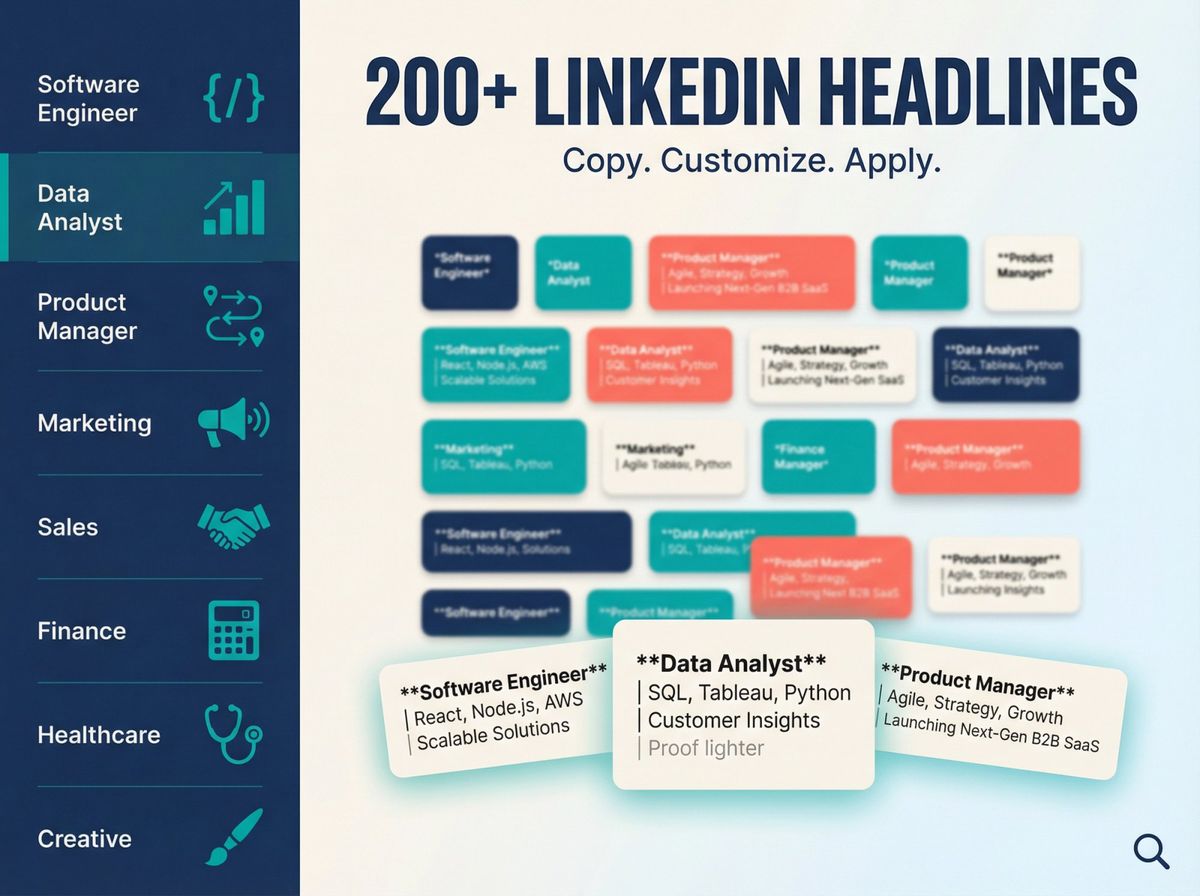
Use these as patterns. Replace the details with your real experience.
LinkedIn Headlines for Unemployed Job Seekers
The strategy: Focus on capabilities, not employment status.
→ Data Analyst | SQL, Tableau, Python | Customer Insights | Cut reporting time 35%
→ Customer Success Manager | Renewals + Expansion | B2B SaaS | 110% net retention
→ Project Manager | Agile/Scrum | Construction | Delivered projects 10% under budget
→ Marketing Manager | SEO + Lifecycle | Ecom | Grew organic traffic 2.3x
→ Financial Analyst | FP&A | Forecasting + Modeling | Improved variance accuracy
→ IT Support Specialist | Windows + M365 | Ticketing + SLA | 98% CSAT
→ Operations Manager | Process Improvement | Lean | Reduced cycle time 20%
→ Product Manager | Discovery + Roadmaps | B2B SaaS | Shipped 0→1 features
→ UX Designer | Research + Prototyping | Figma | Improved onboarding completion
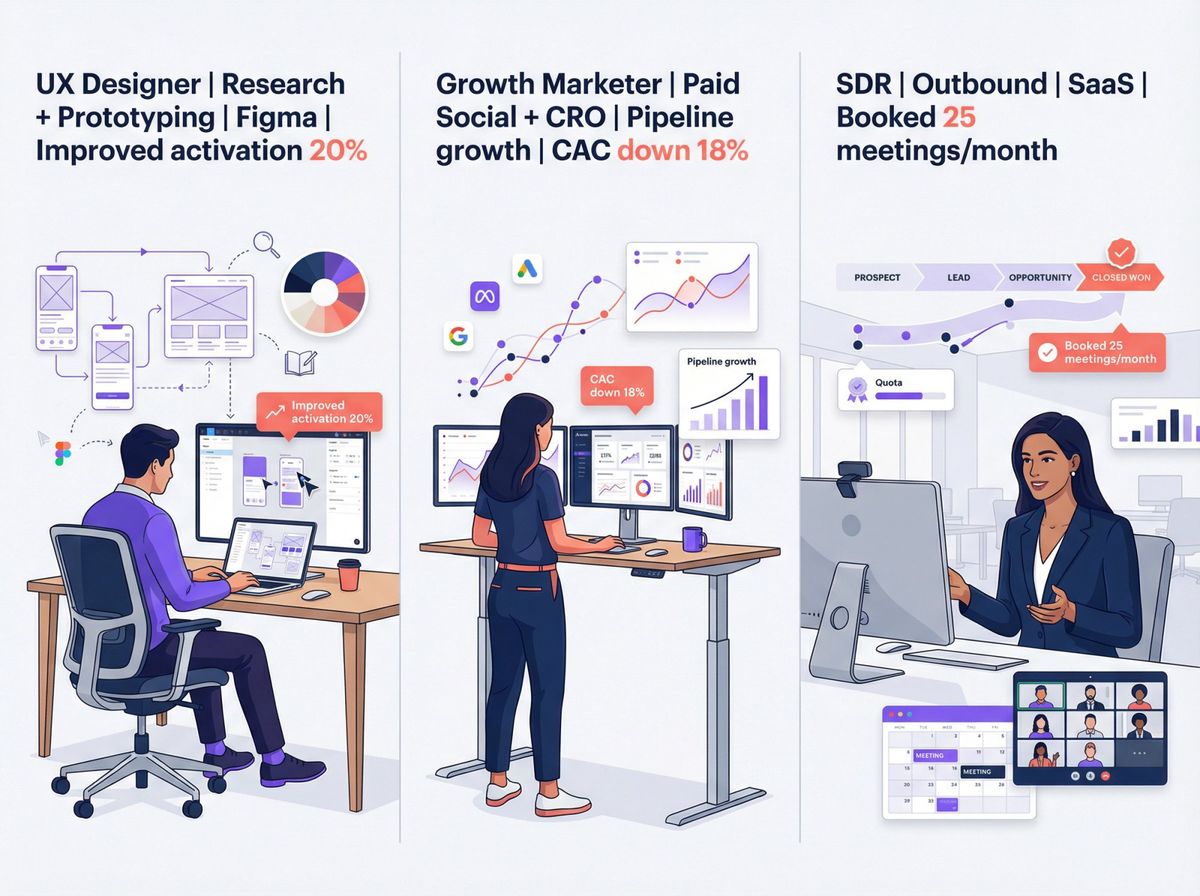
→ Sales Development Rep | Outbound + Qualification | SaaS | Hit 120% quota
Pro tip: Never use "Unemployed" as your headline message. LinkedIn allows professional statuses, but for job seekers it gives less signal than a target role plus skills.
LinkedIn Headlines for Students and Recent Graduates
The strategy: Highlight potential, projects, and tools even without work experience.
→ Computer Science Student | Seeking Software Engineer Internship | Python, Java, React | 3 shipped projects
→ Business Analytics Graduate | SQL + Power BI | Dashboarding + Insights | Portfolio available
→ Marketing Graduate | Content + Social | GA4 + Canva | Built 10k follower community
→ Finance Graduate | Valuation + Modeling | Excel | CFA Level I Candidate
→ Mechanical Engineering Student | CAD + FEA | SolidWorks | Formula Student team
→ Cybersecurity Student | SOC fundamentals | SIEM + Linux | Security+ (in progress)
→ UX/UI Student | Figma + Research | Case studies | Accessibility-focused design
→ Data Science Graduate | Python, ML | Projects: NLP + forecasting | GitHub portfolio
→ HR Graduate | Talent + People Ops | ATS + onboarding | Internship experience
→ Nursing Graduate | RN Candidate | Patient Care | Clinical rotations in ICU/ER
LinkedIn Headlines for Career Changers
The strategy: Make recruiters think "This person is already halfway there."
→ Transitioning to Data Analyst | Former Operations Manager | Excel, SQL, Process Metrics
→ Aspiring Product Manager | ex-Account Manager | Customer Discovery | Roadmap mindset
→ Career Pivot to UX Designer | Former Teacher | Research + Empathy | Case studies
→ Moving into Cybersecurity | IT Support Background | M365, Networking | Security+
→ Transitioning to Project Management | Former Engineer | Agile | Cross-functional delivery
→ Aspiring People Ops | ex-Team Lead | Hiring + Coaching | Culture building
→ Switching to Sales | Former Hospitality Manager | Relationship building | Upsell success
→ Moving into QA Automation | Former Manual Tester | Selenium | Python | CI basics
→ Transitioning to FP&A | Former Accountant | Modeling + Forecasting | Business partnering
→ Pivoting to Growth Marketing | Former Content Writer | SEO + Lifecycle | Conversion focus
LinkedIn Headline Examples by Job Role
Software Engineer / Developer
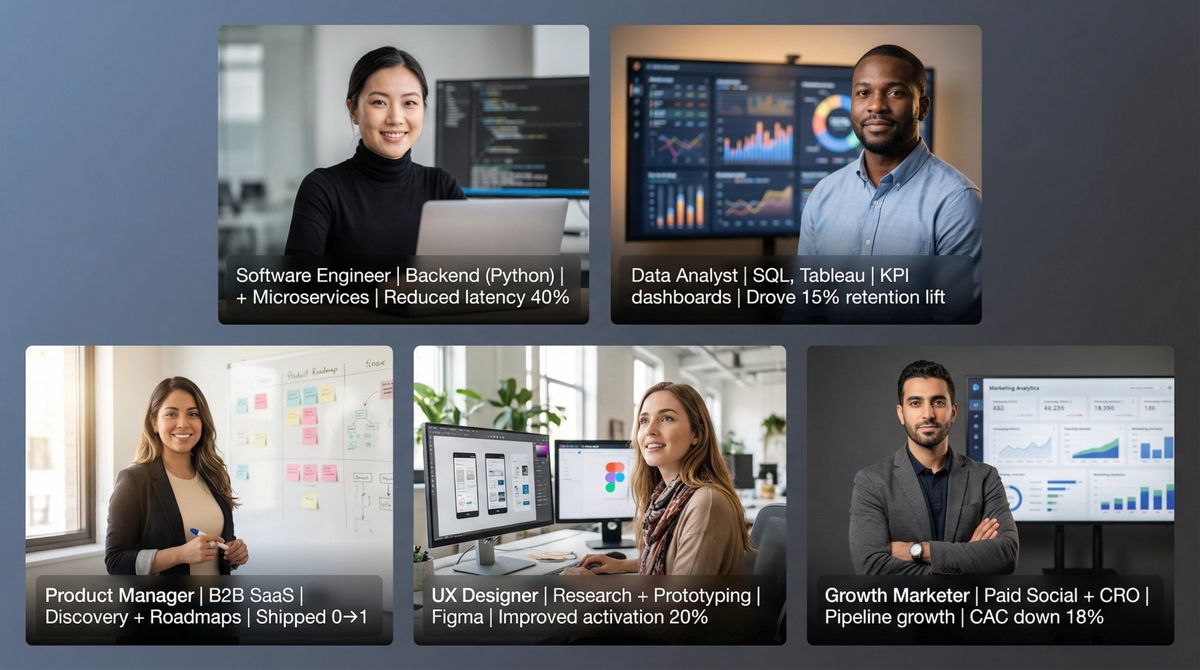
→ Software Engineer | Backend (Python) | APIs + Microservices | Reduced latency 40%
→ Full-Stack Developer | React + Node.js | B2B SaaS | Shipped 8 features in 6 months
→ Frontend Engineer | React, TypeScript | Design Systems | Improved LCP by 25%
→ Backend Engineer | Java, Spring | Payments | Built resilient transaction flows
→ Mobile Engineer | iOS (Swift) | Performance + UX | 4.8★ app improvements
→ DevOps Engineer | AWS, Terraform | CI/CD | Cut deploy time from hours to minutes
→ Platform Engineer | Kubernetes | Observability | Improved uptime to 99.9%
→ Software Engineer | Data Pipelines | Python, Airflow | Reliable ETL at scale
→ SWE Intern Candidate | Python, Git | Projects: API + CLI tools
→ Engineering Manager | Coaching + Delivery | Hiring | Led team of 10 engineers
Data Analyst / BI / Analytics
• Data Analyst | SQL, Tableau | KPI dashboards | Drove 15% retention lift
• BI Analyst | Power BI, DAX | Finance reporting | Improved accuracy + speed
• Product Analyst | Experimentation | Amplitude/Mixpanel | Growth insights
• Marketing Analyst | Attribution + GA4 | SQL | ROAS optimization
• Operations Analyst | Excel + SQL | Forecasting | Capacity planning
• Analytics Engineer | dbt | Snowflake | Trusted metrics layer
• Data Analyst | Customer Insights | Surveys + Cohorts | Reduced churn
• Junior Data Analyst | SQL + Excel | Portfolio dashboards
• Data Visualization Specialist | Tableau | Storytelling | Exec-ready reporting
• Data Analyst | Python | Automation | Cut manual work 10 hrs/week
Data Scientist / ML Engineer
① Data Scientist | NLP | Python | Shipped models to production
② ML Engineer | MLOps | Docker + Kubernetes | Reliable deployment pipelines
③ Applied Scientist | Recommendation Systems | Experiment design | Lifted CTR
④ Data Scientist | Forecasting | Time Series | Improved accuracy 18%
⑤ AI Engineer | LLM Apps | Retrieval + Evaluation | Practical ML shipping
⑥ Research Scientist | Computer Vision | PyTorch | Model optimization
⑦ Data Scientist | Fraud/Risk | Classification | Reduced false positives
⑧ Junior Data Scientist | Python | Projects: churn + forecasting
⑨ ML Engineer | Feature Engineering | Monitoring | Model health
⑩ Data Scientist | Causal Inference | Experimentation | Decision support
Product Manager
- Product Manager | B2B SaaS | Discovery + Roadmaps | Shipped 0→1
- Senior PM | Payments | Platform + APIs | Improved conversion
- Growth PM | Activation + Retention | Experimentation | Lifted signup-to-paid
- Product Manager | AI Features | Workflow automation | Customer value
- Product Manager | Mobile | UX + Performance | Improved DAU
- Technical PM | Integrations | APIs | Reduced onboarding friction
- Associate PM | Customer Research | Agile | Strong execution
- PM | Healthcare | EHR workflows | Compliance-aware
- Product Manager | Marketplace | Supply/demand | Growth loops
- Product Manager | FinTech | Risk + Compliance | Scalable systems
UX / UI / Product Design
▸ UX Designer | Research + Prototyping | Figma | Improved activation 20%
▸ Product Designer | Design Systems | Accessibility | Scalable UI
▸ UI Designer | Visual + Interaction | Figma | Modern SaaS design
▸ UX Researcher | Qual + Quant | Insights | Better decisions
▸ UX Designer | Mobile Apps | Onboarding | Conversion-focused
▸ Product Designer | B2B | Complex workflows | Clarity-first
▸ Junior UX Designer | Case studies | Figma | Portfolio ready
▸ UX Designer | E-commerce | CRO + UX | Checkout improvements
▸ Design Lead | Mentorship | Strategy | Cross-functional alignment
▸ UX Writer | Microcopy | Flows | Clear, human UX
Marketing (Growth, Performance, Content, Brand)
- Growth Marketer | Paid Social + CRO | Pipeline growth | CAC down 18%
- Performance Marketing | Google Ads, Meta | ROAS optimization | Profit-first
- Content Strategist | SEO | Topic clusters | Organic traffic 3x
- Lifecycle Marketer | Email/SMS | Retention | Reduced churn
- Product Marketing Manager | Positioning + Launches | B2B SaaS
- Brand Marketer | Storytelling | Campaigns | Awareness lift
- Marketing Manager | Demand Gen | HubSpot | Qualified leads
- Social Media Manager | Short-form video | Community | Growth
- Marketing Ops | Automation | Attribution | Clean data
- Junior Marketer | Content + Analytics | GA4 | Fast learner
Sales (SDR/BDR, AE, RevOps)
| Role | Example Headline |
|---|---|
| SDR | SDR |
| BDR | BDR |
| Account Executive | Account Executive |
| Enterprise AE | Enterprise AE |
| Sales Manager | Sales Manager |
| RevOps | RevOps |
| Customer Success + Sales | Customer Success + Sales |
| Inside Sales | Inside Sales |
| Sales Engineer | Sales Engineer |
| Sales Development | Sales Development |
Customer Success / Support
- Customer Success Manager | B2B SaaS | Renewals + Expansion | 110% NRR
- Technical Support Specialist | APIs | Troubleshooting | Fast resolution
- Customer Support Lead | QA + Coaching | CSAT 98%
- Implementation Manager | Onboarding | Stakeholders | Faster time-to-value
- Customer Success | Healthcare SaaS | Training + adoption
- Support Engineer | SQL | Debugging | Product feedback
- Customer Experience | Journey mapping | Process fixes
- CSM | Mid-market | Expansion | Relationship building
- Customer Success | Retention | Playbooks | Measured outcomes
- Customer Support | Zendesk | Empathy + speed
Finance / Accounting
→ FP&A Analyst | Forecasting + Modeling | Business partnering
→ Financial Analyst | Reporting + Variance | Excel | Decision support
→ Accountant | Month-end close | GAAP | Process improvement
→ Controller | Compliance + Controls | Audit-ready
→ Finance Manager | Budgeting | Stakeholders | Clear narratives
→ Tax Associate | Compliance | Detail-oriented | Deadline-driven
→ AR/AP Specialist | Reconciliation | Accuracy + speed
→ CFA Candidate | Equity research | Valuation
→ Payroll Specialist | Compliance | Reliable execution
→ Finance Analyst | SaaS metrics | ARR, churn, LTV
Project / Program / Operations
• Project Manager | Agile | Delivery | Cross-functional execution
• Program Manager | Stakeholders | Roadmaps | Large-scale coordination
• Operations Manager | Process improvement | Lean | Efficiency
• Scrum Master | Teams + rituals | Delivery confidence
• PMO Analyst | Reporting | Governance | Clear status
• Business Operations | Strategy + execution | Getting things done
• Operations Analyst | Metrics | Capacity planning
• Implementation PM | Customer onboarding | Time-to-value
• Program Manager | Product launches | On-time delivery
• Project Coordinator | Scheduling | Documentation | Reliable support
HR / People Ops / Talent
① People Ops | Onboarding + Culture | Employee experience
② Recruiter | Tech hiring | Sourcing + closing
③ Talent Acquisition | Stakeholders | Hiring funnels
④ HR Generalist | Employee relations | Compliance
⑤ HRBP | Coaching leaders | Performance + org health
⑥ L&D Specialist | Training design | Enablement
⑦ Compensation Analyst | Benchmarking | Data-driven pay
⑧ People Analytics | SQL | Insights | Workforce metrics
⑨ Junior Recruiter | Candidate experience | Fast learner
⑩ HR Coordinator | Ops + scheduling | Reliable execution
Cybersecurity / IT
▸ Cybersecurity Analyst | SOC | SIEM | Incident response
▸ Security Engineer | Cloud security | AWS | Hardening
▸ IT Support | M365 | Windows | Ticketing
▸ Systems Admin | Linux | Automation | Reliability
▸ Network Engineer | Routing + switching | Monitoring
▸ GRC Analyst | Risk + compliance | Policies | Audit prep
▸ Security+ Certified | Entry-level Cyber | Labs + projects
▸ Cloud Engineer | IAM | Terraform | Secure infra
▸ Endpoint Security | EDR | Response
▸ IT Manager | Service delivery | Team leadership
Healthcare (Clinical and Non-Clinical)
- Registered Nurse | Patient care | ICU/ER experience
- Healthcare Administrator | Operations | Process improvement
- Clinical Research Coordinator | Trials | Data integrity
- Medical Assistant | Patient support | Clinic workflow
- Health Data Analyst | SQL | Reporting | Quality metrics
- Pharmacist | Patient safety | Compliance
- Public Health | Programs | Impact-driven
- Care Coordinator | Patient journeys | Communication
- Healthcare IT | EHR | Implementations
- Mental Health Counselor | Client support | Evidence-based care
Education
→ Teacher | Curriculum design | Student outcomes
→ Instructional Designer | E-learning | Storyboarding
→ Academic Advisor | Student success | Coaching
→ Education Program Manager | Partnerships | Impact
→ Tutor | Math/Science | Results-focused
→ School Administrator | Ops | Community
→ Learning Specialist | Accessibility | Support
→ Career Services | Employer partnerships | Outcomes
→ Education Research | Qual/Quant | Insights
→ Trainer | Enablement | Adult learning
Creative / Content / Media
| Role Type | Example Headlines |
|---|---|
| Copywriter | Copywriter |
| Content Writer | Content Writer |
| Video Editor | Video Editor |
| Graphic Designer | Graphic Designer |
| Creative Strategist | Creative Strategist |
| UX Writer | UX Writer |
| Photographer | Photographer |
| Content Producer | Content Producer |
| PR Specialist | PR Specialist |
| Community Manager | Community Manager |
How to Generate LinkedIn Headlines in 2 Minutes (Free Tool)
Want the fastest path from blank field to strong options? Here's how we do it at AIApply:
Step 1: Paste a job description into our Job Description Keyword Finder to extract the exact skills and tools recruiters expect.
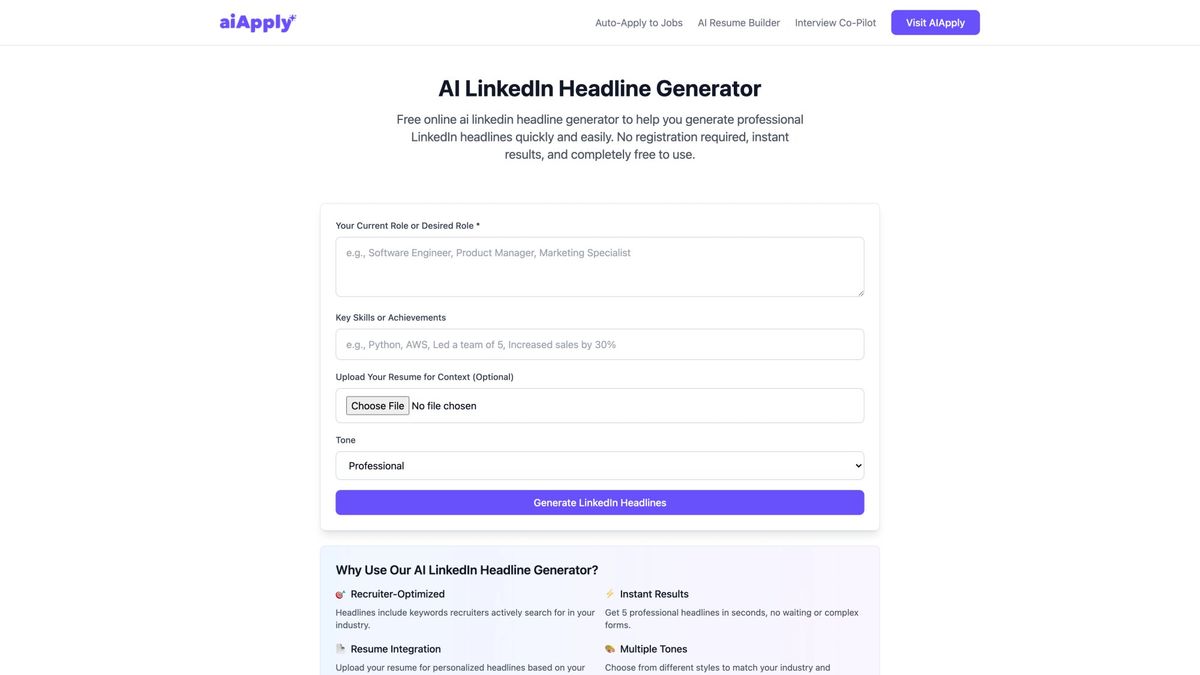
Step 2: Feed those keywords into our LinkedIn Headline Generator to get multiple recruiter-optimized versions in different tones.
Step 3: Pick the best one and sanity-check it:
- Does the first phrase clearly say what role you want?
- Are the skills real?
- Is there proof?
Both tools are free. No signup required.
LinkedIn Headline Scorecard (Quality Checklist)
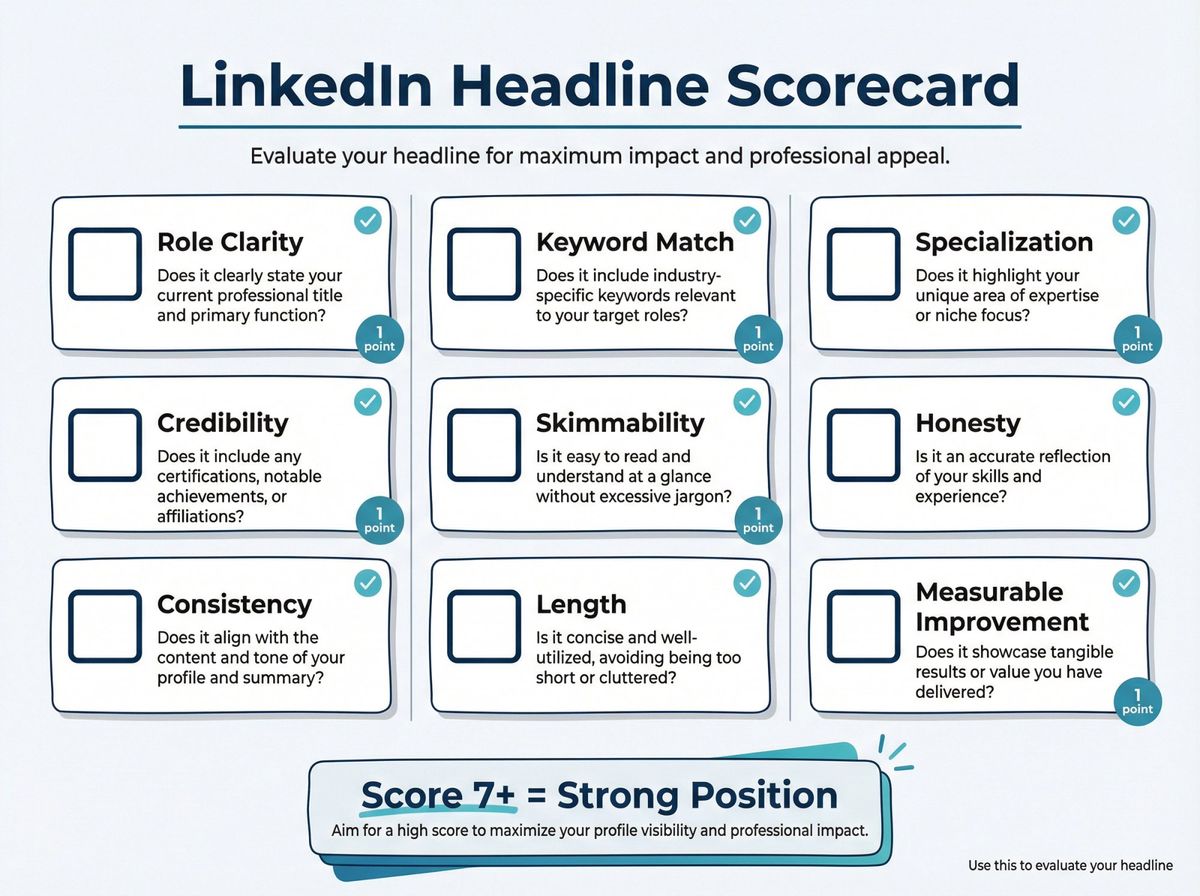
Give yourself 1 point for each:
✓ Role clarity: Target job title is obvious
✓ Keyword match: Includes 2-4 high-signal terms from job ads
✓ Specialization: Shows a niche (industry, domain, function)
✓ Credibility: Includes proof (metric, certification, scope, brand anchor)
✓ Skimmability: Easy separators (| or •)
✓ Honesty: No inflation
✓ Consistency: Matches résumé and Experience section
✓ Length: ≤220 characters
✓ Measurable improvement: Search Appearances increases over time
Score 7+ and you're in a strong place.
How AIApply Helps Beyond Your Headline
Your LinkedIn headline gets you found and clicked. But then what?
At AIApply, we handle the entire job search pipeline so you can focus on preparing for interviews instead of drowning in applications:
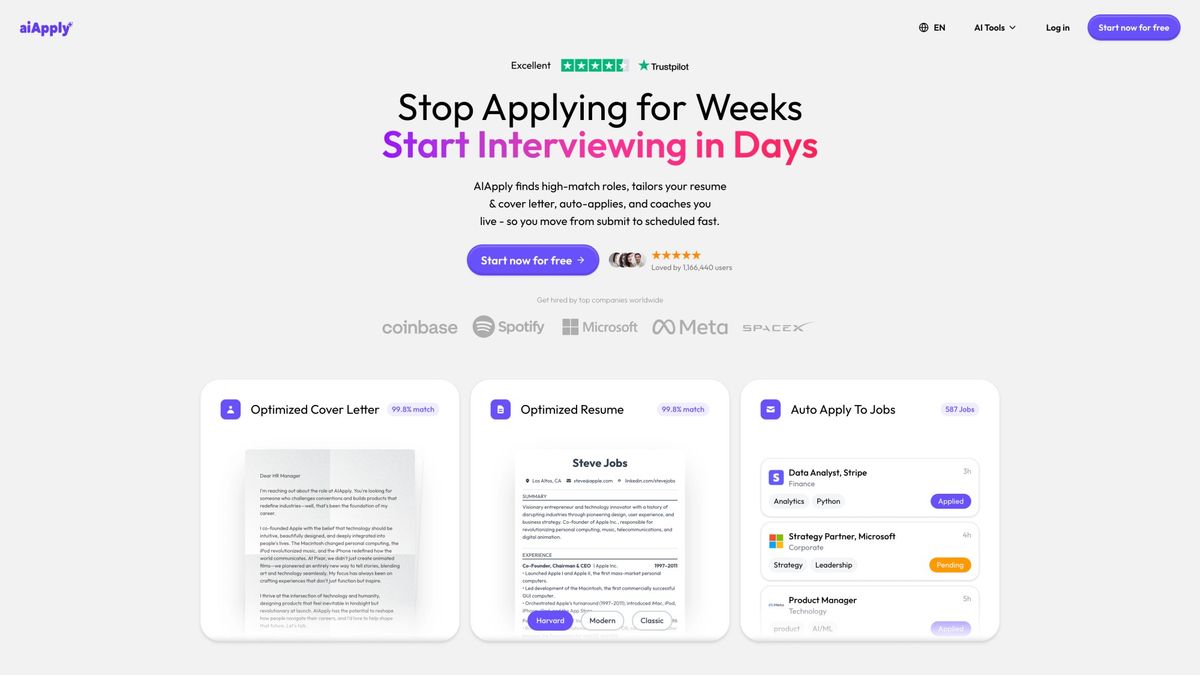
After optimizing your headline, here's what happens next:
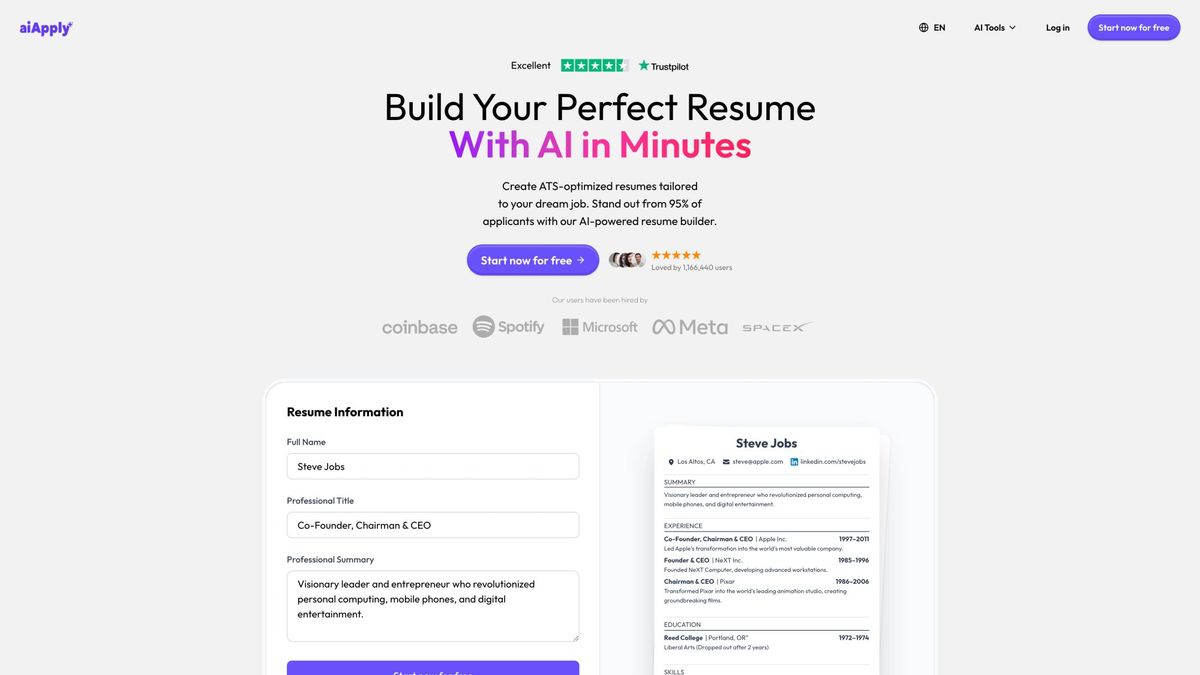
Our AI Resume Builder creates ATS-friendly résumés tailored to specific job descriptions in under 2 minutes. It uses GPT-4 to match your experience to what employers are actually looking for.
Our Auto Apply feature scans over 1 million job postings and automatically submits customized applications on your behalf. Users who activate Auto Apply are 80% more likely to land interviews within the first month.
When interview invites start coming in, our Interview Buddy Chrome extension provides real-time, on-screen coaching during live video interviews. It listens to questions and suggests personalized responses only you can see.
Think of it as your entire job search team, powered by AI. Over 1 million job seekers already use our platform.
Start optimizing your LinkedIn presence and job applications today.
FAQ: LinkedIn Headlines for Job Seekers
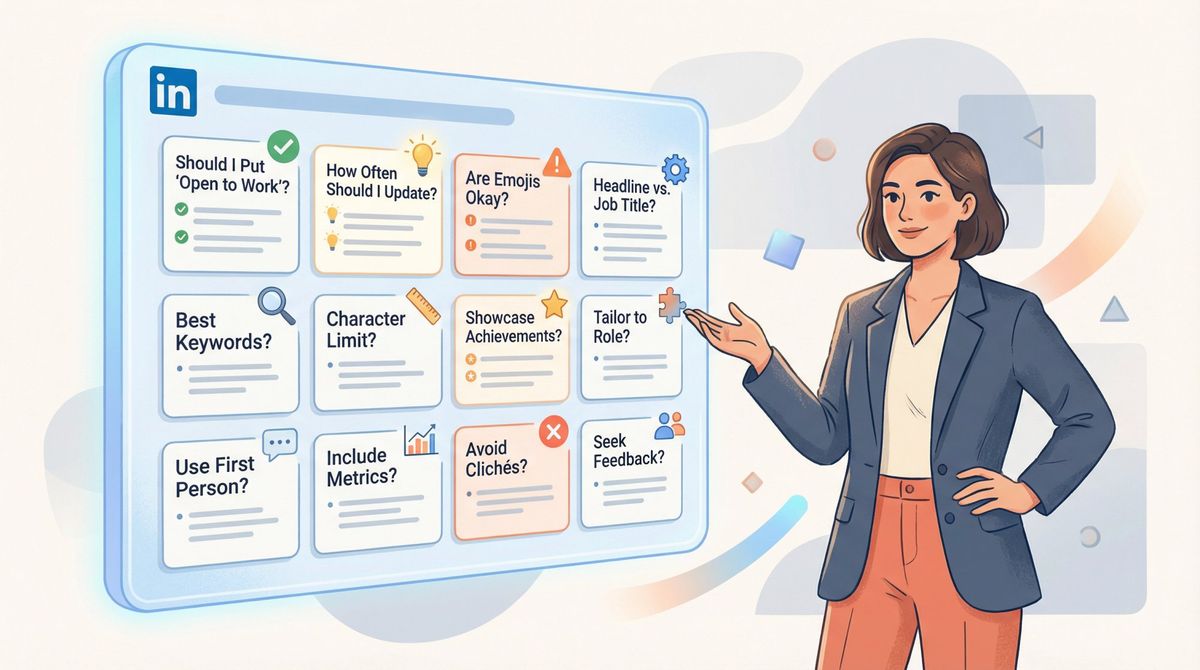
Should I Put "Open to Work" in My LinkedIn Headline?
Usually no. It's low-signal filler that wastes precious character space.
Your headline should focus on what you do and what you're good at (role, skills, proof). Let LinkedIn's "Open to Work" badge handle your availability status. 28 million people already use the green banner, and it's visible to recruiters without cluttering your headline.
If you absolutely want to mention it, put it at the end after strong credentials: "Data Analyst | SQL, Python, Tableau | Open to Remote Opportunities." But honestly? Skip it and use those characters for more keywords.
We've also published a complete guide on how to turn on "Open to Work" on LinkedIn if you want to use the feature correctly.
Can I Use a Different Job Title Than My Current Position?
Yes. LinkedIn Help explicitly states your headline can be edited and doesn't have to be only your current position title.
If you're a "Marketing Coordinator" but targeting "Marketing Manager" roles, your headline should say "Marketing Manager" with supporting skills and proof. Just make sure your Experience section backs it up with relevant accomplishments.
Your headline represents where you're going, not necessarily where you are.
What If I'm Targeting Two Different Job Roles?
Pick one role for your headline. Use your About section, Featured content, and Skills to support the second direction.
Two roles in a headline often reads as unfocused. "Product Manager | Data Analyst" makes recruiters wonder what you actually want. Pick your primary target for the headline, then tailor your résumé and cover letter for the specific role when you apply.
If you're using AIApply's Auto Apply, our system automatically customizes your materials for different job types anyway, so you don't need to hedge in your headline.
How Do I Know If My LinkedIn Headline Is Working?
Use LinkedIn's Search Appearances analytics. It shows:
- How many people found you via search
- What job titles you were found for
- Week-over-week trends
Check this monthly. If your search appearances are increasing and the job titles match your target, your headline is working. If not, test a different keyword combination.
Think of it as free A/B testing. Change your headline, wait two weeks, check the data, iterate.
Should I Include Keywords I Haven't Used Professionally?
Only if you actually have real skills with them. Recruiters verify everything.
If you completed a bootcamp or personal project using Python, you can list "Python" in your headline. If you've never touched Python but know recruiters search for it, don't lie. You'll get exposed in technical interviews.
Better strategy: Learn the in-demand skills (there are tons of free resources), build a portfolio project, then add them to your headline with proof: "Junior Data Analyst | SQL + Python | Portfolio: Customer Churn Prediction Model."
What About Emojis in LinkedIn Headlines?
Use sparingly or not at all.
A single relevant emoji (💡 for innovation, 🎯 for goals, 📊 for data) can add personality if it fits your industry. Creative fields might get away with it. Finance and healthcare? Probably skip it.
The risk: Some Applicant Tracking Systems don't parse emojis correctly, and older recruiters find them unprofessional. When in doubt, leave them out. Your headline should work in every context.
How Often Should I Update My LinkedIn Headline?
During active job searches: Monthly or whenever you learn new high-demand skills.
When employed: Every 3-6 months, or when your role/responsibilities change significantly.
Market trends shift. In 2023-2025, "AI" and "LLM" became massively searched keywords. If you picked up those skills and didn't update your headline, you missed opportunities.
Check LinkedIn Search Appearances monthly to see what's working, then optimize based on data.
Can I Show Personality in My LinkedIn Headline?
Yes, but skills and proof come first.
Your headline is marketing copy, not a personal bio. "Coffee-fueled coder" or "Spreadsheet wizard" can work after you've established credibility: "Financial Analyst | FP&A + Forecasting | Excel wizard | CPA Candidate."
But if your entire headline is personality fluff with no searchable keywords, recruiters won't find you. Lead with function, then add a touch of flavor if there's room.
Should I Mention Being Laid Off or Taking a Career Break?
Not in your headline. Use your About section for brief context if needed.
Your headline is forward-looking. It's about capabilities and targets, not employment gaps. Saying "Recently Laid Off Data Analyst Seeking New Role" wastes space and can trigger unconscious bias.
Instead: "Data Analyst | SQL, Python, Tableau | Customer Insights | Reduced Churn 15%" shows what you can do. Recruiters care about skills, not status.
If you took time off to upskill, mention it in your About section: "Recently completed AWS certification during career break, now targeting Cloud Engineer roles."
What's the Biggest LinkedIn Headline Mistake?
Using the auto-generated default: "Marketing Manager at Company XYZ."
This tells recruiters almost nothing about your specialty, skills, or value. It's the LinkedIn equivalent of a blank résumé.
The fix is simple. Customize it with the formula we gave you at the top of this article: Role + Specialty + Proof. Five minutes of work that could 10x your profile views.
How Important Is the Headline vs the Rest of My Profile?
It's the most important single element for two reasons:
- Search visibility: LinkedIn's algorithm heavily weights the headline field
- Click-through rate: It's the only thing recruiters see in search results before deciding to click
Think of it this way: Your About section, Experience, and Skills are your résumé. Your headline is the billboard that gets people to read your résumé.
Research shows recruiters search by skills 5× more often than by school info. Your headline is where those skills need to live.
Can AIApply Help Me With My LinkedIn Headline?
Absolutely. We built two free tools specifically for this:
LinkedIn Headline Generator: Analyzes your role and skills, then generates multiple headline options optimized for recruiter searches. Takes 30 seconds.
Job Description Keyword Finder: Paste any job posting and we extract the exact keywords recruiters are searching for. Then use those in your headline.
But our platform does way more than headlines. We handle your entire job search from application to interview prep. Over 1 million job seekers use AIApply to land roles faster with less stress.
Final Thought
Your LinkedIn headline isn't where you "describe yourself." It's where you make it easy for recruiters and LinkedIn's search algorithm to label you correctly.
If you want a shortcut: Role first. Proof second. Keywords throughout. Fluff nowhere.
The examples and formulas in this guide work because they're based on how recruiters actually search LinkedIn and what makes them click profiles. Steal them, customize them, test them.
And if you want to automate the entire job search process (résumé customization, mass applications, interview prep), that's exactly what we built AIApply to do.
Over 800,000 job seekers already trust us to handle the tedious parts so they can focus on what matters: preparing for interviews and landing offers.
Get started with AIApply today and let us help you land your next role 80% faster.